

Profibus-DP Network Design for Yokogawa CENTUM VP: Redundant Remote I/O Strategies with Honeywell Fieldbus Integration
The Strategic Value of Profibus-DP in Modern DCS Architectures
Profibus-DP remains a cornerstone technology in process automation. It stands for Process Field Bus — Decentralized Peripherals. The protocol moves I/O modules from central control rooms into field-mounted junction boxes. A single RS-485 twisted-pair cable replaces hundreds of parallel 4-20 mA signal wires. This cuts installation costs by 40 to 60 percent in large petrochemical facilities.
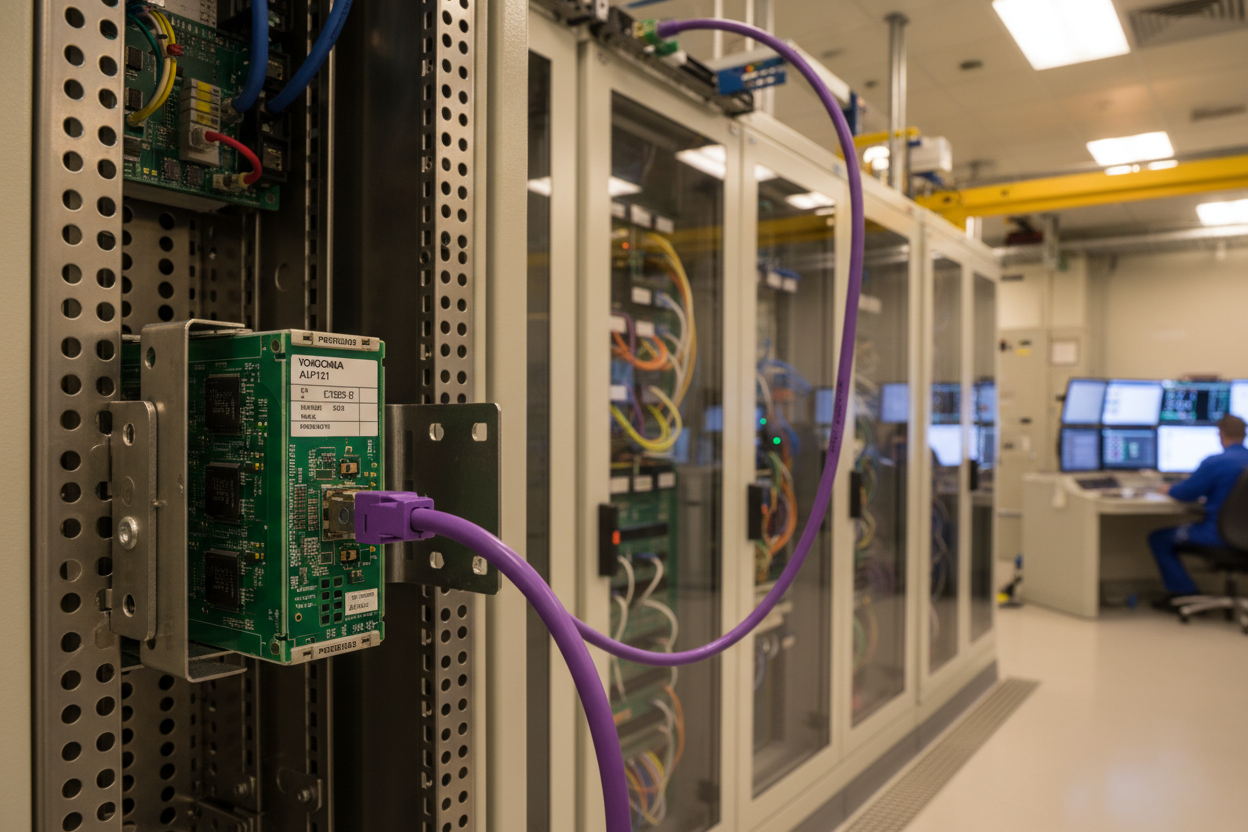
Yokogawa CENTUM VP DCS natively supports Profibus-DP through the ALP121 interface module. Honeywell Experion PKS offers similar capability via the CC-PAOX01 Profibus gateway. Both platforms use Profibus-DP to connect remote I/O racks distributed across process units. A single CENTUM VP domain can manage up to 125 Profibus-DP slave devices per segment.
Profibus-DP Physical Layer: Cable, Termination, and Baud Rate Selection
First, select the correct cable. Profibus-DP requires Type A cable per IEC 61158-2. It features a characteristic impedance of 150 ohms and a conductor cross-section of 0.64 mm minimum. Use only purple-jacketed Profibus-certified cable. Never substitute with standard Cat5e or generic RS-485 cable. Surge impedance mismatches cause signal reflections that corrupt data frames.
Second, terminate every segment correctly. Each Profibus-DP segment needs exactly two active termination resistors. Place one at the master end and one at the farthest slave. Yokogawa ALP121 modules include a built-in termination switch. Set it to ON when the ALP121 is the segment endpoint. Honeywell CC-PAOX01 gateways use external 9-pin D-sub terminators. Verify termination with a Profibus tester before commissioning.
Baud rate selection directly affects segment length. At 1.5 Mbps, the maximum segment length is 200 meters. At 187.5 kbps, you can reach 1000 meters. For a typical ethylene cracker unit spanning 400 meters, select 500 kbps for safe margin. Use repeaters to extend beyond the maximum length. Each repeater adds a new segment with its own termination requirements.
Step 1: Calculate total cable length from DCS cabinet to farthest remote I/O enclosure.
Step 2: Select baud rate: 1.5 Mbps (max 200m), 500 kbps (max 400m), 187.5 kbps (max 1000m).
Step 3: Install active termination at both ends. Measure DC resistance between A and B lines — it should read approximately 110 ohms.
GSD File Configuration for Yokogawa-Honeywell Interoperability
Every Profibus-DP slave requires a GSD file. This electronic datasheet describes the device's communication capabilities. Yokogawa provides GSD files for all remote I/O modules. Honeywell supplies GSD files for the CC-PAOX01 gateway and connected HART I/O.
However, GSD file version mismatches cause configuration failures. Moreover, corrupted GSD files prevent the DP master from parameterizing slaves. Check your GSD file versions before importing. Yokogawa CENTUM VP stores GSD files in the engineering PC under the PROFIBUS system view. Honeywell Experion stores them in the Quick Builder database.
Therefore, always download the latest GSD files from the vendor website. Yokogawa publishes updates on their Partner Portal. Honeywell provides them through the HPS Technical Support portal. After importing a new GSD file, rebuild the Profibus configuration in CENTUM VP and re-download to the ALP121. The master then re-parameterizes all slaves during the next bus cycle.
Step 1: In CENTUM VP System View, right-click the PROFIBUS folder and select Import GSD File.
Step 2: Browse to the downloaded .gsd or .gsx file. Confirm vendor name and device ID match the physical hardware.
Step 3: Assign each slave a unique station address from 1 to 125. Avoid address conflicts between Yokogawa and Honeywell devices.
Redundant Profibus-DP: Dual Cable Architecture for Critical Processes
Process safety demands communication redundancy. A single cable failure must not disable an entire process unit. Profibus-DP supports two redundancy architectures. The first uses dual RS-485 cables with automatic switchover. The second deploys Profibus PA over MBP (Manchester Bus Powered) for intrinsically safe areas.
For CENTUM VP with dual ALP121 modules, configure Redundancy Mode in the PROFIBUS system properties. Set the switchover time to less than 500 ms. Yokogawa ALP121 modules monitor bus voltage continuously. If the primary cable voltage drops below 3V DC, the system switches to the secondary cable within one bus cycle. Operators receive a system alarm on the CENTUM VP HIS station.
Moreover, test cable redundancy during commissioning. Disconnect the primary Profibus cable at the master connector. Verify automatic switchover to the secondary cable. Confirm all slave devices remain online in the CENTUM VP system alarm display. Reconnect the primary cable and verify the system returns to normal operation without a bus reset. Finally, document the switchover time for the site acceptance test report.
Conclusion & Action Advice
Profibus-DP remains a robust and cost-effective fieldbus for Yokogawa and Honeywell DCS architectures. Use certified Type A cable and verify terminations with a bus tester. Keep GSD files updated and version-controlled. Deploy redundant cable architecture for critical process units. Test switchover behavior during FAT and SAT. These practices ensure years of reliable operation across your petrochemical facility. Bookmark our Profibus-DP configuration checklist for your next project.
Author: Liu Jianfeng is an industrial automation engineer with over 10 years of experience in PLC, DCS, and control systems.


