

Yokogawa CENTUM VP Troubleshooting: FCS Diagnostics and Process Signal Verification
Yokogawa CENTUM VP Troubleshooting: FCS Diagnostics and Process Signal Verification
A field-oriented method for isolating controller, I/O, communication, and operator-display problems.
How is the Yokogawa CENTUM VP architecture structured for diagnostic isolation?
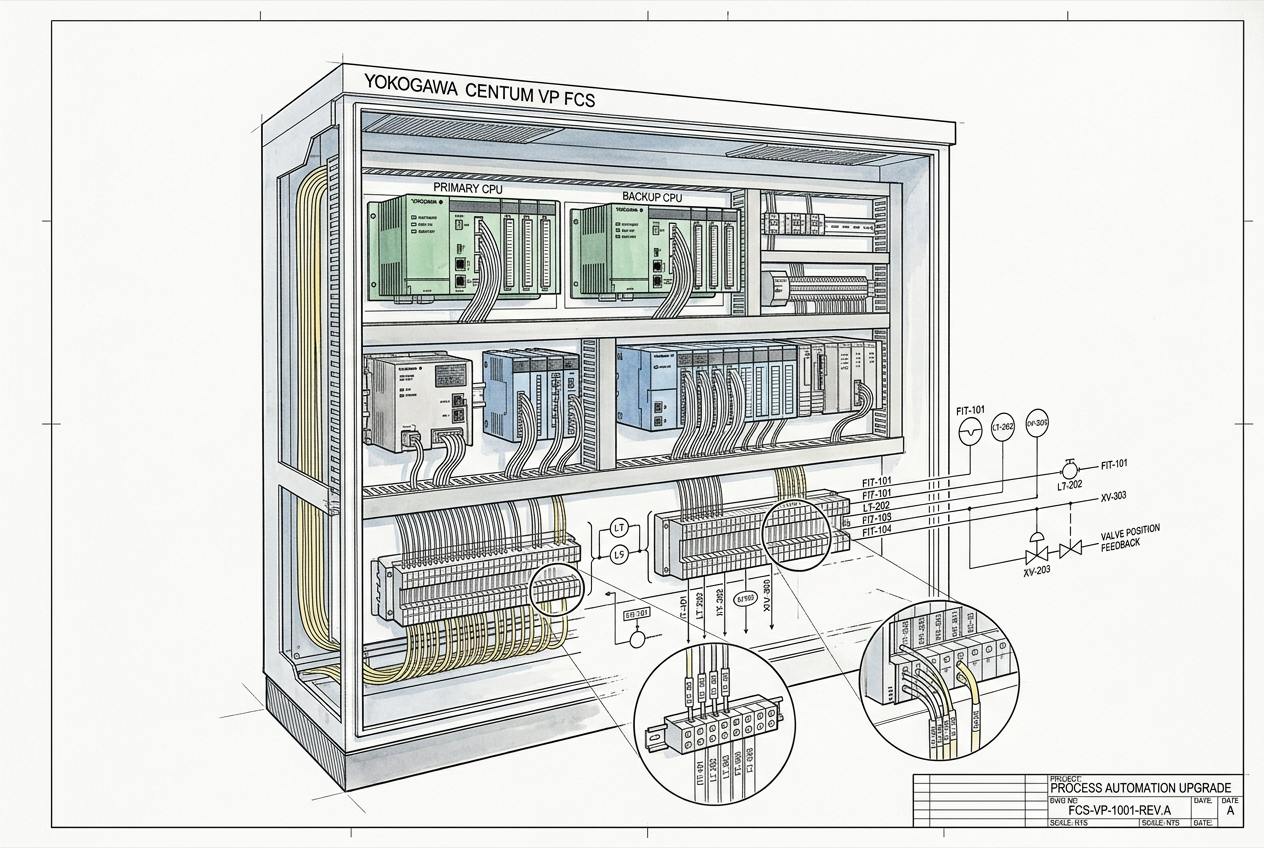
Yokogawa CENTUM VP is an integrated distributed control system (DCS) comprising Human Interface Stations (HIS), Field Control Stations (FCS) such as duplexed control units like the AFV10D duplexed field control unit or AFF50D duplexed field control unit, and high-reliability control networks (such as Vnet/IP or V net utilizing cards like the VF311 V-NET station interface card). In this architecture, Field Control Stations execute critical regulatory loops, sequence logic, and I/O signal processing.
This clear demarcation enables control engineers to methodically decouple controller-side faults from operator-station displays, node bus communication (such as the SB302 ESB bus interface card), and field-level instrument defects. However, diagnostic granularity varies based on the specific CENTUM VP software revision, installed processor modules (such as CP133E CPU modules), and configured function blocks.
To begin troubleshooting, identify the abnormal tag name, physical transmitter location, terminal connection module (such as the ATI3S-00 terminal module), and assigned FCS node. Always cross-reference against approved I/O assignment lists, loop sheets, and system configuration drawings before touching hardware.
How do you isolate whether a failure is tag-specific, channel-wide, or station-wide?
When an instrument reading freezes, reports bad quality (BAD/OPN), or produces spurious alarms on the HIS graphic, determine the fault boundary first to avoid unnecessary field work:
- Identify tag quality status: Check the data status displayed on the HIS faceplate (e.g., CAL, OOP, OPN, BAD, or IOP) and record event timestamps.
- Examine FCS diagnostic views: Open the CENTUM VP System View and inspect the station diagnostic window for CPU redundancy status, bus errors, or power supply alarms.
- Correlate shared I/O channels: Check adjacent channels on the same analog or digital I/O card. If all channels on a module show failure, suspect module power supply, bus coupler, or field wiring common grounds.
- Timestamp event correlation: Check historical alarm and message logs to pinpoint the exact sequence of events leading to the failure.
- Review maintenance history: Determine if recent cabinet work, hot-swapping, loop tuning, or project downloading coincided with the problem.
Compare the DCS value directly with field indications: if a pressure transmitter reads correctly at the gauge or local LCD, the fault lies within the signal path or I/O configuration. If the field reading is also wrong, troubleshoot the process condition or transmitter sensing element.
Why are process signals reading incorrectly, and how do you verify signal quality?
Inaccurate process indications frequently stem from wiring resistance, transmitter range mismatches, incorrect input types, or software scaling errors rather than hardware component failure:
- Physical wiring and loop power: Inspect terminal tightness, polarity, and loop supply voltage (typically 24V DC). Check for high resistance from corrosion or loose screw terminals.
- Input configuration and range limits: Verify that the CENTUM VP function block range (High/Low Engineering Units) matches the transmitter calibration sheet exactly.
- Channel diagnostic check: Review hardware diagnostic bytes for open-circuit detection, burnout direction settings (high or low), and A/D conversion overflow.
- Scaling and transfer functions: For linear 4–20 mA transmitters, 12 mA corresponds strictly to 50% of the calibrated span. For nonlinear inputs (square root extraction for orifice flow or thermocouple temperature curves), verify that signal characterization is applied in only one place—either the field transmitter or the DCS block, never both.
How do you diagnose discrepancies between field signals, FCS data, and HIS displays?
When a field signal validates correctly at the FCS terminal but displays stale or incorrect data on the operator screen, evaluate the communication path between stations:
- Single station vs. global discrepancy: Determine if the data issue appears on a single HIS client or across all operator consoles. A single-station symptom points to client cache, graphics binding, or desktop network adapter issues.
- Control network health: Check Vnet/IP or V net bus status for collision rates, token passing delays, or duplicate IP/domain addresses.
- Tag binding and trend configuration: Verify that the graphics element points to the correct FCS tag descriptor and variable suffix rather than an unlinked or dummy alias.
- Historical trend data: Cross-reference live displays with long-term trend collection to observe whether data acquisition halted at a specific communication event.
Always confirm values through FCS tuning windows or engineering test environments before concluding that field hardware requires replacement.
What procedure should you follow to restore service and document maintenance findings?
Returning an operational DCS to service requires systematic verification and rigorous change control to safeguard continuous plant production:
- Document baseline data: Save alarm printouts, system diagnostic snapshots, and parameter settings prior to making adjustments.
- Follow approved change protocols: Perform configuration modifications in offline project files, generate project diffs, and obtain sign-off before downloading to live stations.
- End-to-end signal validation: Perform a multi-point loop check (e.g., 0%, 50%, 100%) between field calibration sources, FCS data blocks, and operator graphic displays.
- Verify interlocking and control logic: Ensure cascade loops, permissive interlocks, and safety trips function normally after signal quality is restored.
- Update engineering archives: Record all corrective actions, replaced module part numbers, and calibration notes in site asset management records.
Never implement undocumented parameter overrides or bypass safety logic on active operating units without authorized management of change (MOC) clearance.
What are the key takeaways for effective CENTUM VP maintenance?
Systematic Yokogawa CENTUM VP troubleshooting relies on understanding the distinct layers of DCS architecture. By methodically isolating field wiring, FCS controller diagnostics, bus communications, and operator interface bindings, maintenance engineers can swiftly identify root causes, minimize production downtime, and preserve plant safety.


