

Master Coordinated Motion: Synchronizing Multi-Axis Servo Systems
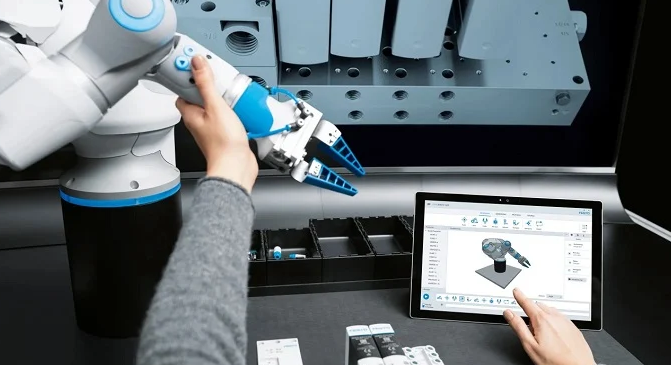
In the world of industrial automation, moving a single motor is straightforward. However, coordinating three or more axes to work as one unit requires advanced control strategies. Whether you are building a custom gantry or an articulated robot, coordinated motion simplifies complex spatial calculations. This technology allows multiple joints to reach their destination simultaneously, ensuring smooth and predictable machine paths.
Understanding Joint vs. Cartesian Coordinate Systems
Industrial robots usually rely on rotating joints. Each motor moves to a specific angular value. To find the final tool position (X, Y, Z), the controller performs "forward kinematics." Conversely, "inverse kinematics" calculates the joint angles needed to reach a specific point in space.
When programming in environments like Studio 5000, you must choose your coordinate system. Linear Cartesian systems (X, Y, Z) are often easier to manage for beginners. They eliminate the need for complex trigonometric transformations within your PLC logic.
Establishing a Multi-Axis Coordinated System
Setting up a coordinated system is more detailed than standard gear or cam synchronization. You must first group your servos into a "Coordinated System" within your motion group. This software object serves as the container for all related axes.
The Coordinated System Wizard allows you to define essential parameters. You can specify the number of axes, system geometry, and mechanical offsets. Furthermore, you must set maximum speed and acceleration limits for the entire group. This ensures that the slowest axis dictates the overall path timing, preventing mechanical strain.
Essential PLC Logic for Coordinated Motion
To drive these systems, engineers use specific Motion Coordinated (MC) instructions. Unlike standard Motion Axis Move (MAM) blocks, these instructions look at the system as a single entity.
-
MCLM (Linear Move): Moves the tool center point in a straight line between two coordinates.
-
MCCM (Circular Move): Generates precise 2D or 3D arcs using a defined radius or center point.
-
MCPM (Path Move): Handles complex trajectories for SCARA or Delta robot geometries.
If you need to halt the system, a Motion Coordinated Stop (MCS) is required. This instruction ensures all axes decelerate in unison, maintaining the integrity of the path even during a stop.
Comparing Coordinated and Synchronized Motion
Many engineers confuse "gearing" with "coordinated motion." In electronic gearing, one axis follows another at a fixed ratio. However, in coordinated motion, the axes are not rigidly locked. You can still command an individual axis using a standard move block without affecting the others.
The beauty of coordinated motion lies in time-synchronization. The controller automatically adjusts the velocity of each motor. As a result, all axes start and stop at the exact same moment, regardless of the distance each must travel.
Author’s Perspective: Why Coordination Matters
In my experience, the shift toward coordinated motion is a game-changer for DIY robotics and specialized factory automation. Historically, you needed a dedicated robot controller to achieve smooth paths. Today, modern PLCs handle these calculations internally. This convergence of PLC and Robot control reduces hardware costs and simplifies the communication architecture on the plant floor.


