

- industrial ethernet port mirroring SPAN, Modbus TCP MBAP header exception code, OPC UA BadCertificateInvalid diagnosis, OPC UA packet analysis Wireshark, Schneider Modicon M580 OPC UA session, TCP retransmission DCS network fault, Wireshark Modbus TCP DCS troubleshooting, Yokogawa CENTUM VP Modbus TCP timeout
Industrial Ethernet Fault Diagnosis: Wireshark Deep Dive for Modbus TCP and OPC UA in DCS Networks
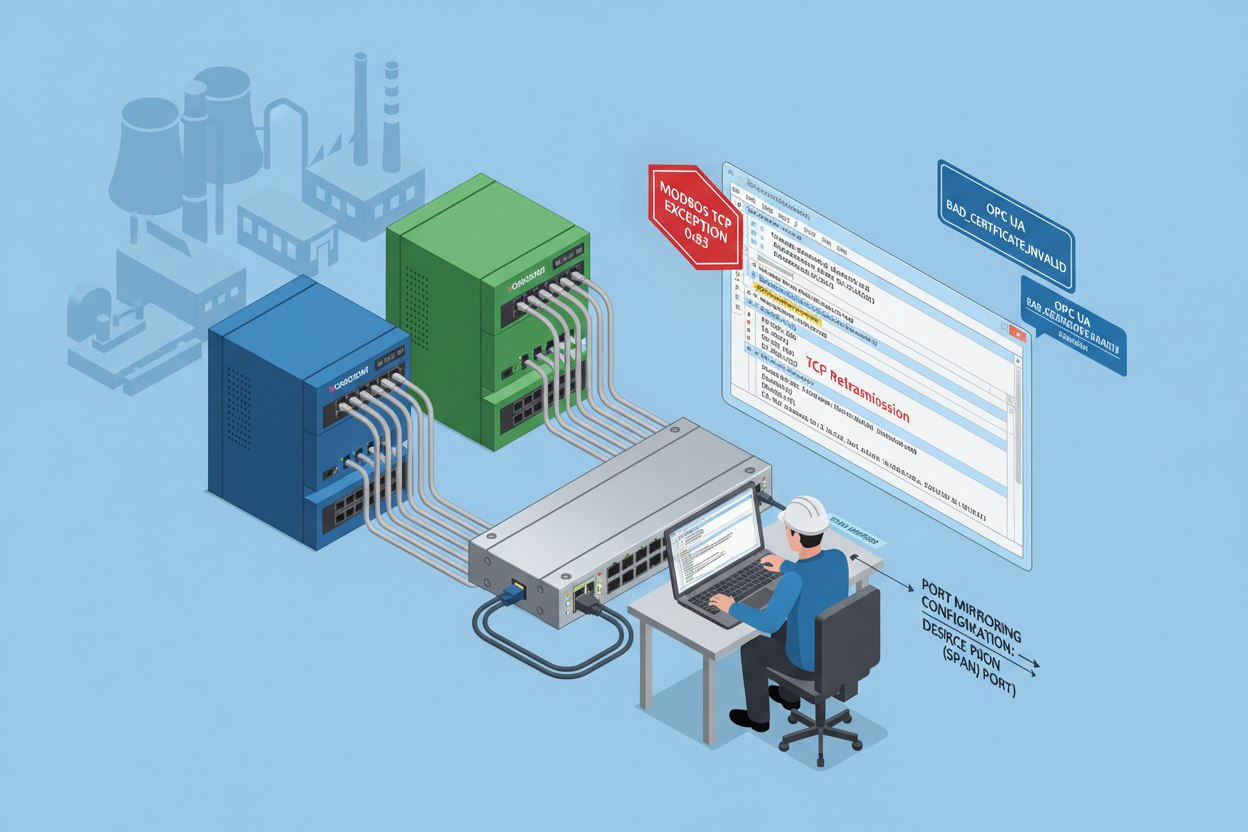
Q: Why Does Packet-Level Analysis Matter in DCS Networks?
Industrial ethernet carries the lifeblood of process control. Modbus TCP and OPC UA are two of the most common protocols — when communication fails, production stops. Yokogawa CENTUM VP DCS systems rely on Vnet/IP for internal messaging, but many field devices still speak Modbus TCP on port 502. The Yokogawa VI701 Vnet/IP Interface Card provides the high-speed Vnet/IP backbone connectivity for CENTUM VP FCS nodes, while the Schneider TCSESM083F23F0 Industrial Managed Switch provides the SPAN port mirroring capability needed for Wireshark packet capture on DCS networks. The Prosoft PLX32-EIP-MBTCP EtherNet/IP to Modbus TCP Gateway is a common protocol bridge between EtherNet/IP DCS systems and Modbus TCP field devices — a frequent source of the timeout faults this guide addresses.
Q: What Is the Modbus TCP Frame Structure I Need to Know?
Modbus TCP wraps data in a 7-byte MBAP header plus PDU. The header contains a transaction ID, protocol ID (always 0x0000), length field, and unit identifier. A normal FC 03 read request in hex: 00 01 00 00 00 06 01 03 00 00 00 0A. Common function codes: 0x03 reads holding registers, 0x06 writes a single register, 0x10 writes multiple registers.
When the slave returns an exception response, the function code has bit 7 set (e.g., 0x83 = error on FC 03). Exception code 01 = illegal function, 02 = illegal data address, 03 = illegal data value. These codes are your first diagnostic clue in Wireshark.
Q: How Does OPC UA Binary Protocol Work for Wireshark Analysis?
OPC UA uses port 4840 by default. A client sends a Hello message, the server responds with Acknowledge, then the client opens a secure channel, creates a session, and activates it. In Yokogawa environments, OPC UA servers often run behind firewalls — verify port 4840 is open and reachable. For encrypted sessions, load the server private key in PEM format under Edit → Preferences → Protocols → OPC UA to enable real-time decryption of authentication failures and session timeouts.
Q: How Do I Set Up Port Mirroring and Wireshark Capture?
- Step 1: Log into your industrial switch CLI or web interface (Hirschmann, Moxa, or Cisco IE series). Identify the source port connected to the PLC or DCS controller.
- Step 2: Configure the SPAN mirror: set the source port to the PLC Ethernet port and the destination port to your diagnostic laptop. Enable bidirectional traffic mirroring.
-
Step 3: Open Wireshark, select the mirrored interface, and set a capture filter:
tcp port 502 or tcp port 4840. Start the capture. - Step 4: Reproduce the fault condition. Let traffic flow for at least 30 seconds.
-
Step 5: Stop the capture and save as .pcapng. Apply display filters: use
modbusoropcuaas starting filters, thentcp.analysis.retransmissionto isolate anomalies.
Q: Case Study — Yokogawa CENTUM VP Modbus TCP Timeout?
A petrochemical plant reported intermittent data loss on Modbus TCP links. The CENTUM VP DCS polled 24 field transmitters every 500 ms, with occasional drops of three or four transmitters from the scan list. After setting up port mirroring on a Hirschmann switch and capturing two hours of traffic, filtering for tcp.analysis.retransmission and Modbus exception responses revealed multiple TCP retransmissions to specific slave addresses.
Root cause: an RS-485 to Ethernet gateway with a firmware bug dropped packets under high load when more than 16 slaves responded simultaneously. Fix: update the gateway firmware and reduce the poll group size to 12 devices per gateway.
Q: Case Study — Schneider Modicon M580 OPC UA Authentication Failure?
A water treatment plant’s SCADA client could not establish OPC UA sessions after a certificate renewal. Wireshark showed OpenSecureChannel responses with status code BadCertificateInvalid. The intermediate CA certificate was missing from the client trust store. After adding the intermediate CA and restarting the OPC UA client, sessions activated successfully.
A second issue appeared: OPC UA Publish requests had no response for up to 10 seconds. Filtering for opcua.service == Publish revealed TCP zero-window notifications — the Modicon controller CPU was at 95% utilization. Offloading logic to a secondary controller dropped subscription latency below 200 ms.
What Are the Key Pro Tips?
- Never mirror traffic to a port that carries production traffic — this creates a broadcast loop.
- Always set a capture filter before starting. Unfiltered captures on a busy DCS network fill a 1 GB buffer in under 60 seconds.
- Use Follow TCP Stream to reconstruct the full client-server conversation.
- Export anomalous frames as hex dumps for vendor technical support. Include timestamps and interface information.
- Archive .pcapng files with descriptive names (date, controller model, fault description) for trend analysis.
Author: Zhang Minghui is an industrial automation engineer with over 10 years of experience in PLC, DCS, and control systems.


