

Honeywell Experion PKS OPC UA Integration with Allen-Bradley ControlLogix: A Migration Guide
Q: Why Use OPC UA to Integrate Honeywell Experion PKS with Allen-Bradley ControlLogix?
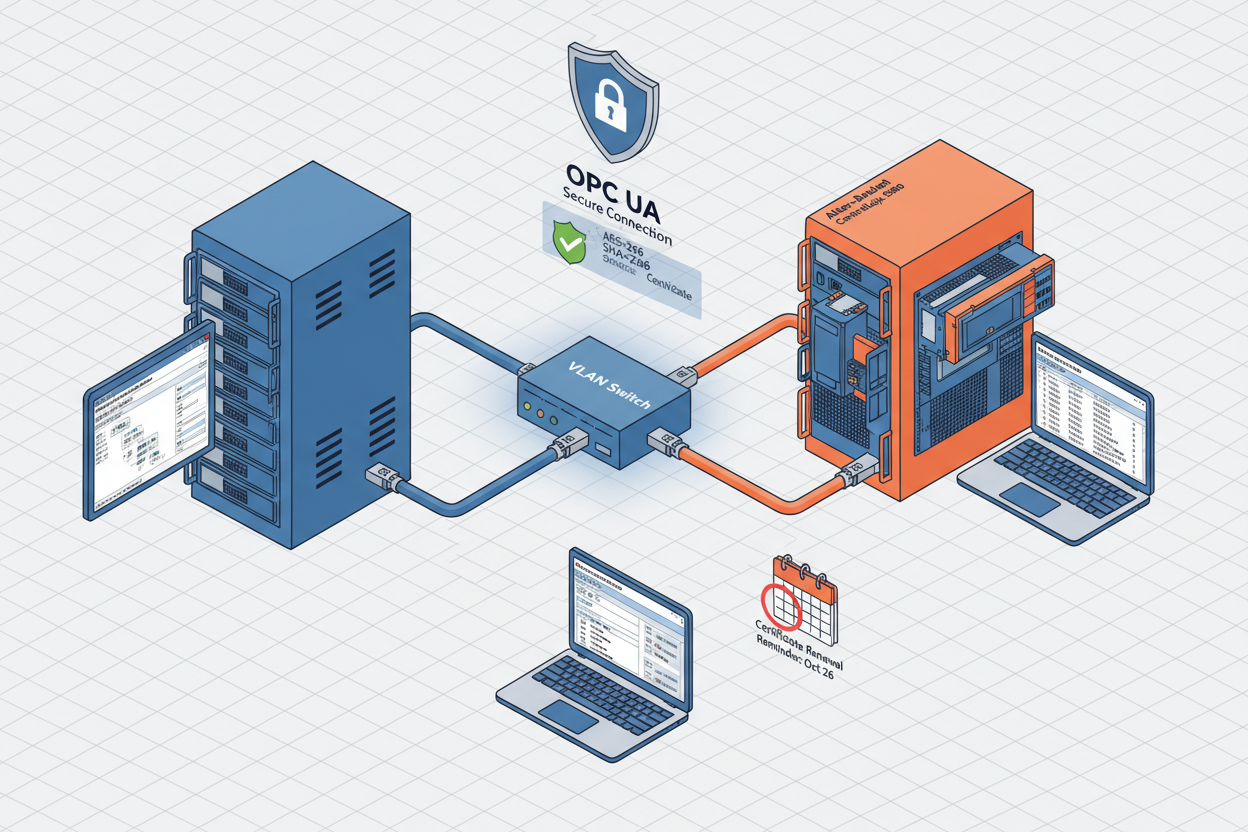
Modern process plants combine Honeywell Experion PKS for continuous process control and Allen-Bradley ControlLogix for discrete operations like package unit control and motor starting. Legacy integration methods like Modbus TCP gateways create bottlenecks, lack native data modeling, and require extensive tag mapping. OPC UA solves both problems with a standards-based approach. The Allen-Bradley 1756-L83E ControlLogix 5580 Controller Module and Allen-Bradley 1756-L83EP ControlLogix 5580 Process Controller Module both support native OPC UA server functionality from firmware version 33 onwards, exposing controller tags to Experion PKS without additional hardware.
Q: How Do I Configure the OPC UA Server on Allen-Bradley ControlLogix 5580?
- Step 1: Open Studio 5000 Logix Designer. Navigate to controller properties and enable the OPC UA server.
- Step 2: Configure the OPC UA security policy. Select AES-256 SHA-256 certificate signing for production environments. Never use “None” or “Basic128Rsa15” in plant networks.
- Step 3: Define the tag exposure list. Select only the tags that Experion PKS needs to read — do not expose the entire controller tag database.
- Step 4: Generate a self-signed certificate or import a CA-signed certificate. The certificate must include the server endpoint URL in the Subject Alternative Name field.
Note: the ControlLogix 5580 built-in OPC UA server limits concurrent sessions to 10. For larger deployments, use FactoryTalk Gateway as an alternative OPC UA server supporting up to 50 concurrent sessions.
Q: How Do I Configure the Honeywell Experion PKS OPC UA Client?
- Step 1: Log into Experion PKS Engineering Console. Navigate to the OPC UA configuration page under System Resources.
- Step 2: Add a new OPC UA endpoint. Enter the ControlLogix OPC UA server URL (e.g., opc.tcp://192.168.1.10:4840). Open TCP port 4840 in both directions on the firewall between Experion and ControlLogix subnets.
- Step 3: Configure the security mode to “Sign and Encrypt”. Select the matching certificate policy from the ControlLogix server.
- Step 4: Browse the OPC UA address space and select the required tags. Map each OPC UA node to an Experion process point with the correct engineering unit.
Q: How Do I Handle Data Type Mapping Between ControlLogix and Experion PKS?
ControlLogix uses DINT, REAL, and BOOL as native data types. Experion PKS uses FLOAT, INT, and DISCRETE internally. The OPC UA layer maps these types automatically in most cases.
- Step 1: Verify each OPC UA node data type in the Experion configuration. Confirm REAL maps to Float and DINT maps to Integer.
- Step 2: Test the data quality indicator. OPC UA provides Good, Bad, and Uncertain quality states — ensure Experion alarm logic handles Bad quality correctly.
- Step 3: Configure subscription intervals based on process requirements. Avoid setting all tags to 100 ms, which overwhelms the OPC UA server.
Array data types require special handling: ControlLogix arrays of DINT map to OPC UA Int32 arrays, but Experion PKS may not support array-typed process points directly. Break arrays into individual scalar tags in Studio 5000 before exposing them to OPC UA.
Q: How Do I Diagnose Common OPC UA Integration Faults?
- Certificate expiration: The ControlLogix OPC UA server rejects connections from clients with expired certificates, causing silent connection drops. Implement a certificate renewal schedule at least 30 days before expiration.
- Network latency spikes: When round-trip time exceeds 500 ms, the OPC UA keepalive mechanism triggers reconnection. Use dedicated VLANs for OPC UA traffic.
- Step 1: Monitor OPC UA session status in both Experion and Studio 5000 diagnostic counters. Check for subscription queue overflow errors.
- Step 2: Use the UaExpert client tool to test connectivity independently when a connection drop occurs.
- Step 3: Check the network path with a ping test. Maximum latency should stay below 50 ms for stable operation.
- Step 4: Review the Experion OPC UA client log for error codes: 0x80160000 indicates a certificate error; 0x80340000 indicates a timeout.
What Is the Key Action Advice?
Always use certificate-based security (AES-256 SHA-256) in production networks — never use the None security policy. Monitor OPC UA session health through both platforms to detect connectivity issues early. Document the OPC UA address space mapping and keep certificates renewed on schedule. For Yokogawa CENTUM VP environments, the same approach applies using the FHI-OA OPC UA interface module, which supports OPC UA aggregation across multiple ControlLogix controllers to reduce session count and simplify network topology.
Author: Wang Jiwei is an industrial automation engineer with over 10 years of experience in PLC, DCS, and control systems.


