

HIMA HIMax Safety System: EtherNet/IP Integration for Process Safety Applications
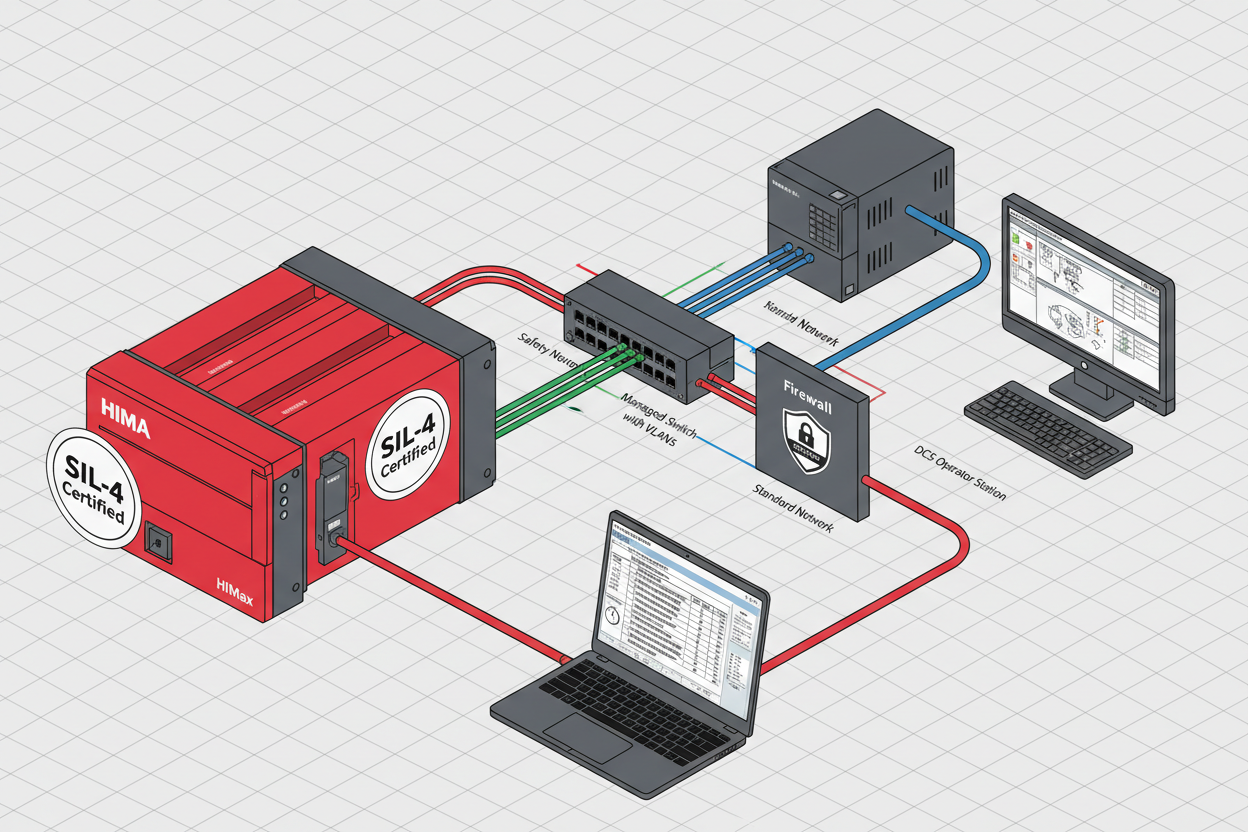
Q: What Does EtherNet/IP Enable for HIMA HIMax Safety Systems?
HIMA HIMax delivers SIL-4 safety performance and supports EtherNet/IP for balance of plant (BOP) integration. Standard PLCs connect to HIMax safety controllers with safety and standard data sharing the same network infrastructure, simplifying plant architecture significantly. The HIMA F3 DIO 20/8 01 HIMatrix Digital Input/Output Module provides the SIL-rated field I/O channels whose safety status data is shared via EtherNet/IP to standard automation systems for monitoring purposes.
Q: How Do I Install and Configure the HIMax EtherNet/IP Module?
- Step 1: Install the HIMax Ethernet module in the chassis.
- Step 2: Connect the Ethernet cable to the module port.
- Step 3: Configure the IP address, subnet mask, and gateway in ELOP II software.
- Step 4: Verify the link status LED shows an active connection.
Configure the EtherNet/IP adapter settings: set the assembly instance numbers for input and output data, and define the RPI (Requested Packet Interval) value. Typical RPI is 20 ms for safety data exchange.
Q: How Do I Configure Safety Data Exchange?
- Step 1: Define which safety variables are shared via EtherNet/IP in ELOP II.
- Step 2: Map safety inputs to input assembly data and safety outputs to output assembly data.
- Step 3: Configure timeout and watchdog parameters. Set the communication timeout based on network latency and application requirements.
- Step 4: Test fail-safe behavior on communication loss. Verify the safe state activates within the required time when the EtherNet/IP connection is interrupted.
Implement safety communication validation: check the sequence number in each data frame and monitor the communication watchdog timer. Configure the safe state for communication loss and verify fail-safe behavior during testing.
Q: How Do I Design the Network Architecture for HIMax EtherNet/IP?
Use VLANs to separate safety and standard traffic. Configure firewall rules between network zones and implement managed switches with QoS support to prioritize safety communication traffic.
Network design requires careful planning per IEC 62443 security requirements. Implement a defense-in-depth strategy and use an industrial DMZ for external connections. Regular penetration testing validates the security posture of the OT network.
Q: How Do I Commission and Validate the EtherNet/IP Integration?
- Step 1: Verify the EtherNet/IP connection status in ELOP II online view.
- Step 2: Monitor assembly data exchange and confirm data updates at the configured RPI rate.
- Step 3: Test communication with forced values to verify correct data mapping.
- Step 4: Validate safety response time — confirm it meets the process safety time documented in the SRS.
What Is the Key Action Advice?
Configure adapter settings with proper assembly instances before connecting standard PLCs. Implement safety communication validation logic in the HIMax program. Design the network with proper VLAN segregation from day one — retrofitting network security is significantly more difficult. Test fail-safe behavior thoroughly under all communication failure scenarios. Document all configurations for safety audits. For critical safety paths, consider redundant Ethernet interfaces. Partner with HIMA for SIL-4 safety projects to ensure compliance with IEC 61508 architectural constraints.
Author: Ren Zhi is an industrial automation engineer with over 10 years of experience in PLC, DCS, and control systems.


