

Bently Nevada 3500 System: OPC UA Server Setup for Condition Monitoring Integration
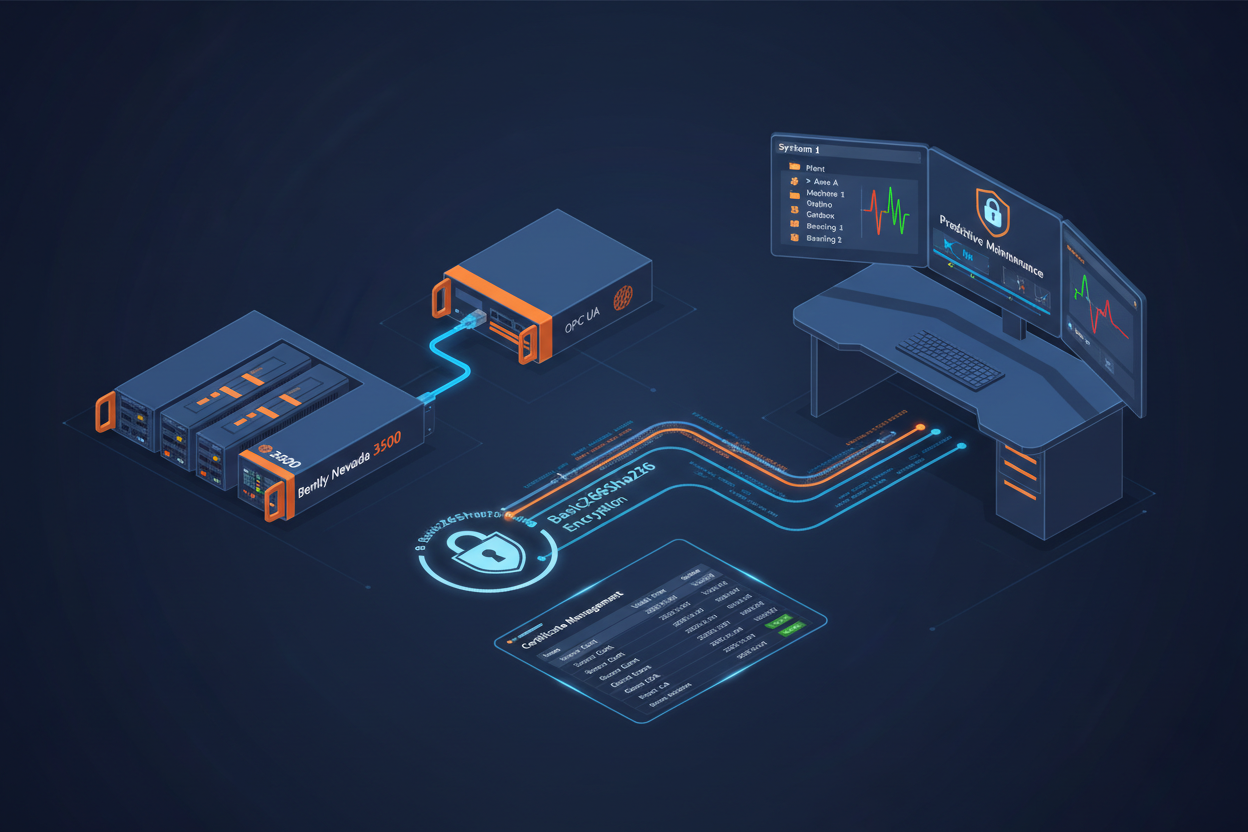
Q: What Does OPC UA Enable for Bently Nevada 3500 Condition Monitoring?
The Bently Nevada 3500 OPC UA gateway enables condition monitoring software to connect directly to the 3500 rack for real-time vibration data access without custom protocol drivers. Secure encrypted communication protects sensitive machinery data. The GE Bently Nevada 3500/40 Proximitor Monitor Module and Bently Nevada 3500/40M Proximitor Monitor Module provide the proximity measurement channels whose vibration data is published through the OPC UA server to predictive maintenance platforms.
Q: How Do I Install and Activate the OPC UA Gateway?
- Step 1: Install the 3500 OPC UA gateway software on a dedicated PC in the OT network.
- Step 2: Connect the gateway to the 3500 rack via Ethernet.
- Step 3: Configure the gateway IP address, subnet mask, and OPC UA server endpoint. Default port is 4840.
- Step 4: Generate and install the X.509 security certificate for the OPC UA server.
Configure security settings properly: select Basic256Sha256 encryption policy and enable SignAndEncrypt mode for data protection. Configure the trusted client certificate list — unauthorized client connections are rejected automatically.
Q: How Do I Configure the Namespace and Data Mapping?
- Step 1: Create the namespace folder structure organized by machine and bearing location.
- Step 2: Map 3500 monitor channels to OPC UA variables. Overall vibration values map to simple scalar variables. Waveform data maps to array variables.
- Step 3: Configure sampling rates for each data type. Set deadband values to reduce network traffic for slowly changing variables.
- Step 4: Configure waveform and spectrum data formats. Set the FFT resolution and frequency range parameters. Verify data format matches condition monitoring client expectations.
Q: How Do I Connect Condition Monitoring Software?
Configure the condition monitoring software to browse the OPC UA namespace and subscribe to vibration data variables. Set alarm thresholds for overall vibration values and configure trend analysis parameters for prediction.
Vibration data volume can be significant — optimize subscriptions to include only necessary variables. Use deadband filtering to reduce data change notifications. Configure data archiving intervals appropriately and consider edge computing for local FFT analysis to reduce network bandwidth.
Q: How Do I Manage OPC UA Security Certificates?
- Step 1: Generate the server certificate with proper key size (minimum 2048-bit RSA).
- Step 2: Install the certificate in the OPC UA gateway and set the validity period to one year.
- Step 3: Distribute the root certificate to all OPC UA clients.
- Step 4: Test the secure connection with a client tool such as UaExpert before connecting production systems.
Monitor certificate expiration dates regularly and establish renewal procedures well before expiration. Implement network segmentation between IT and OT systems. Keep gateway software updated with security patches and conduct periodic security audits.
What Is the Key Action Advice?
Install the gateway on dedicated hardware — never share with other applications that could affect availability. Configure security certificates before production deployment and never use None security policy. Map vibration data to a logical namespace structure that matches the plant asset hierarchy. Optimize subscriptions for bandwidth efficiency and monitor certificate validity continuously. For critical machines, consider redundant gateways. Partner with Bently Nevada for advanced diagnostics support and System 1 software integration.
Author: Tang Bo is an industrial automation engineer with over 10 years of experience in PLC, DCS, and control systems.


