

ABB AC500 PLC Modbus TCP Setup: A Field Engineer's Practical Configuration Guide
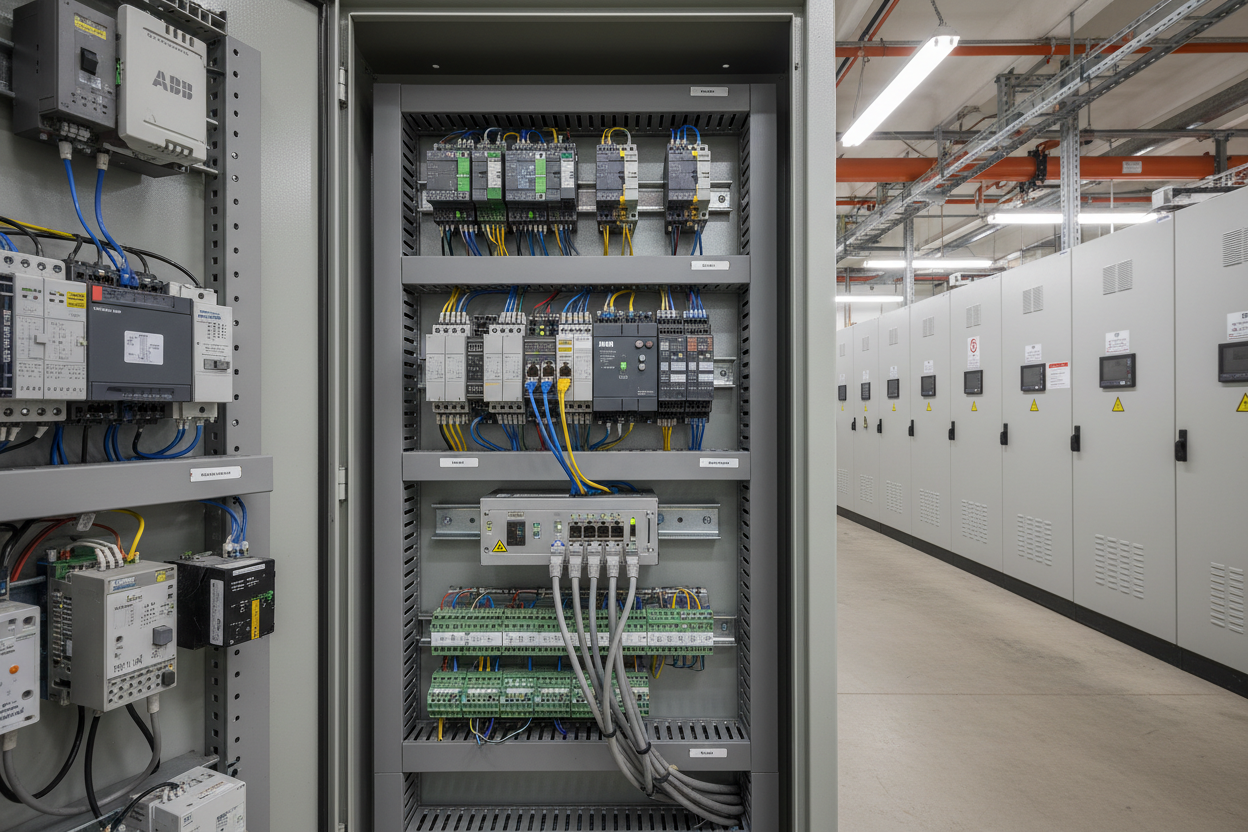
ABB AC500 Hardware Overview and Modbus TCP Module Selection
The ABB AC500 series uses a modular architecture where the CPU and communication modules mount on a common backplane bus. The PM573 CPU includes an integrated Ethernet port for programming, but Modbus TCP server functionality requires the PM573-ETH or PM585-ETH module. The ABB AC500 PM573-ETH CPU Processor Module supports up to 16 simultaneous Modbus TCP client connections and exposes up to 512 bytes of input and output data. Engineers must calculate the total Modbus register space required before ordering hardware. First, list all slave devices and their register requirements. Second, size the PM573-ETH accordingly and specify appropriate I/O modules for the base rack.
The PM583-ETH variant provides dual Ethernet ports with embedded switch functionality. This allows daisy-chaining multiple PLCs in a ring topology for redundant network paths. In a mining conveyor system in Western Australia, dual PM583-ETH modules with MRP (Media Redundancy Protocol) achieved sub-200 ms network failover, maintaining continuous operation during cable fault conditions. The ABB PM592-ETH AC500 PLC 4MB and the ABB PM5012-T-ETH Processor Module are available for higher-capacity AC500 Modbus TCP builds.
Step-by-Step CoDeSys Modbus TCP Configuration
- Step 1: Open CoDeSys 2.3 and create a new project for the AC500 target. Navigate to Resources > Communication Parameters and add the PM573-ETH as a target device. Assign the module a static IP address such as 192.168.1.10 with subnet mask 255.255.255.0.
- Step 2: Download the Modbus library (MBTCPSlave.library) from the ABB download portal. Add the library to the project via Library Manager. Declare a Modbus TCP server instance by calling FB_MBTCPServer in the PLC_PRG program.
- Step 3: Define holding register mapping using ARRAY types. For example, VAR at 40001 maps to holding register 0. Create a structure that groups process variables: pump_status at offset 0, flow_rate at offset 2 (REAL type occupies two consecutive registers), and setpoint at offset 4. Initialize the server with port number 502 (standard for Modbus TCP).
- Step 4: Build and download the project to the CPU. Verify the ETH-OK LED on the PM573-ETH turns solid green. Use ModbusPoll software on a laptop connected to the same subnet to verify register read operations. Function code 03 (Read Holding Registers) should return correct float values for flow_rate. The ABB AI523 16-Channel Analog Input Module provides the field signal acquisition layer for process variables mapped into the Modbus register table.
Modbus Exception Codes and Field Troubleshooting Procedures
However, Modbus communication failures require systematic diagnosis. Exception code 02 (Illegal Data Address) occurs when the client requests a register outside the server’s defined range. In one petrochemical plant, a SCADA system polling an AC500 PLC generated repeated exception 02 errors. The root cause was a floating-point register alignment issue: the SCADA assumed 16-bit register addressing while the AC500 used 32-bit REAL types spanning two consecutive registers. Therefore, engineers must verify register data type definitions on both client and server sides before commissioning.
Exception code 03 (Illegal Data Value) appears when the written value exceeds the valid range. A water injection facility encountered this when writing pump speed commands to an ABB ACS880 drive. The ACS880 expected speed in RPM (0–1500) while the HMI sent percentage (0–100). Moreover, timeout errors often indicate physical layer problems. The PM573-ETH TX/RX LEDs should flash at 1 Hz during normal traffic. Absence of activity suggests a wiring fault, incorrect IP subnet configuration, or firewall blocking port 502.
Integrating Schneider Power Monitor via Modbus TCP
Moreover, the AC500 PM573-ETH integrates seamlessly with Schneider Electric PM5500 power meters for energy monitoring. The PM5500 exposes power quality parameters such as voltage, current, active power, and power factor at specific Modbus register addresses. Engineers configure a Modbus TCP client function block to poll these registers at 1-second intervals. The AC500 then calculates total harmonic distortion (THD) and logs energy consumption data to an SD card for billing analysis. This approach eliminates the need for a dedicated energy management gateway and reduces system cost by approximately 35% in a municipal water treatment upgrade project.
Finally, implement watchdog timers for all Modbus communication paths. Configure the PLC to set safe output states if no valid Modbus data is received within 5 seconds. This prevents stuck outputs from driving actuators to unsafe positions during communication failures.
Conclusion and Action Advice
ABB AC500 Modbus TCP communication provides a cost-effective solution for integrating diverse automation equipment over standard Ethernet. Always verify IP addressing, subnet configuration, and register data type alignment before commissioning. Implement systematic exception code logging and watchdog timers for robust fault handling. Use network analyzers such as Wireshark to capture Modbus TCP packets for deep diagnostic analysis when intermittent faults occur. Document register maps in a shared Excel workbook to ensure consistency across the engineering team.
Author: Li Jianguo is an industrial automation engineer with over 10 years of experience in PLC, DCS, and industrial communication protocols.


