

Industrial Ethernet Switch Configuration: Moxa EDS-510E and PROFINET IRT Network Design
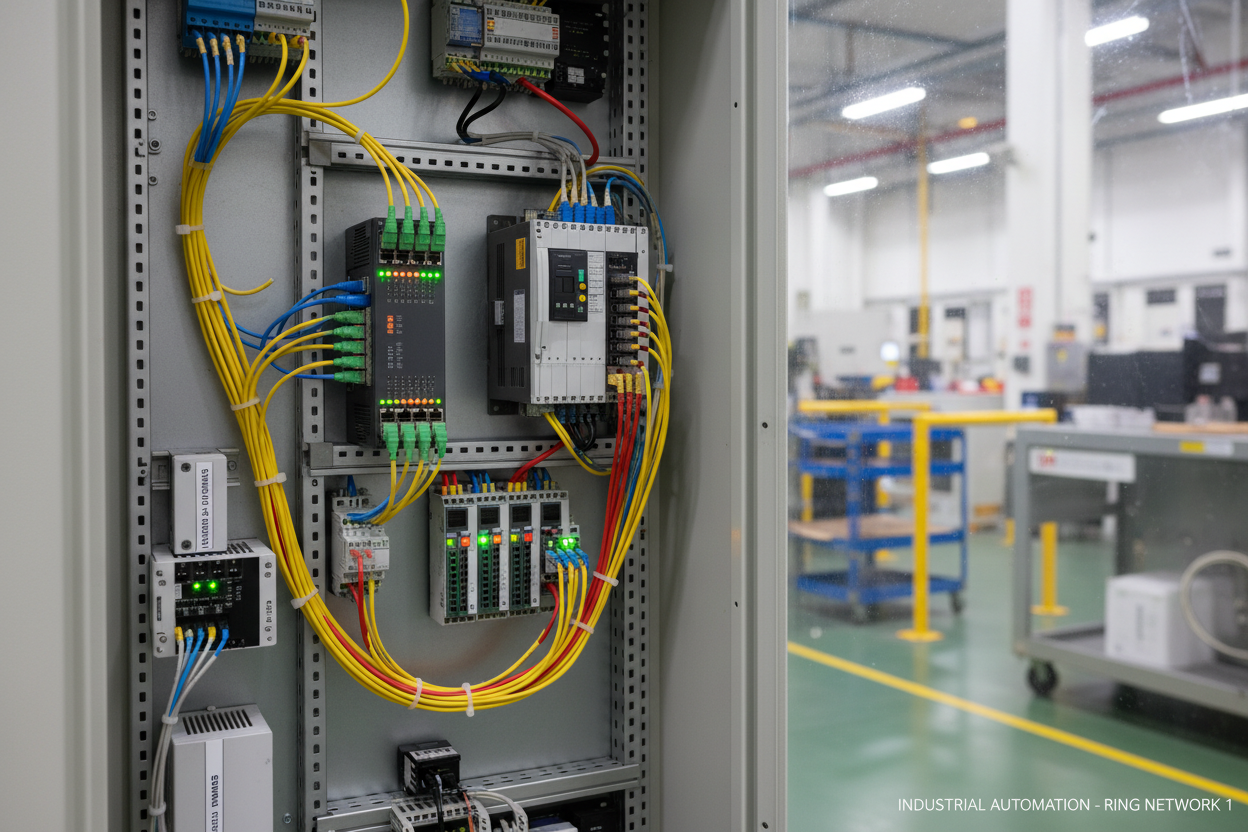
Network Topology and Physical Installation
The Moxa EDS-510E provides eight 10/100BaseT(X) ports and two Gigabit combo ports supporting SFP or RJ45. Operating temperature range is -40°C to +75°C with IP30 protection. Power input accepts 12–48 VDC redundant supplies. Install the switch in a NEMA 4X enclosure when ambient humidity exceeds 95% RH.
First, implement the Turbo Ring protocol for network redundancy. Configure one switch as the Ring Master and designate two ports as ring ports. The EDS-510E supports recovery times below 20 milliseconds — critical for PROFINET IRT applications where cycle times reach 250 microseconds. Connect ring ports using fiber optic cables for electromagnetic immunity in high-voltage areas. For Moxa industrial Ethernet switch options, the MOXA EDS-408A-MM-SC Entry-Level Managed Ethernet Switch and the MOXA EDS-308-MM-SC Unmanaged Ethernet Switch are available for industrial network deployments.
Second, establish proper grounding. Connect the DIN rail mounting bracket to plant ground using 6 mm² copper wire. Ground impedance should measure below 1 ohm. Poor grounding causes common-mode voltage issues that corrupt Ethernet frames, especially with shielded cables.
Third, select appropriate cables. Use Cat6A shielded twisted pair for copper connections in environments with VFDs or welding equipment. Maximum segment length is 100 meters per IEEE 802.3. For distances exceeding 100 meters, deploy single-mode fiber with 1310 nm SFP modules supporting 20 km transmission.
VLAN Segmentation and Security Configuration
Configure VLANs to isolate traffic types. Assign VLAN 10 for PROFINET real-time data, VLAN 20 for HMI/SCADA communication, and VLAN 30 for management access. Enable 802.1Q tagging on trunk ports connecting switches. Untagged ports connect to end devices that do not support VLAN tagging.
Implement port security features. Enable MAC address learning limits to prevent MAC flooding attacks. Configure static MAC entries for critical devices like PLCs and safety controllers. Enable DHCP snooping to block rogue DHCP servers from disrupting network addressing.
Disable unused ports to reduce attack surface. Set unused ports to shutdown state rather than simply administratively down — this prevents accidental connections from unauthorized devices. Enable BPDU Guard on all edge ports to prevent spanning tree manipulation attacks.
PROFINET IRT Optimization and QoS
PROFINET IRT requires precise timing synchronization. Configure the EDS-510E with IEEE 1588 PTP transparent clock functionality. Set the switch to forward PTP messages with minimal delay variation. Enable cut-through switching for IRT traffic — store-and-forward introduces unacceptable latency above 10 microseconds.
Configure Quality of Service prioritization. Map PROFINET RT Class 3 traffic to priority queue 7 (highest). Assign HMI traffic to priority queue 3. Default best-effort traffic uses priority queue 0. Enable strict priority scheduling to ensure real-time frames always transmit before background traffic.
Set multicast filtering for efficient network operation. PROFINET uses multicast for device discovery and real-time data distribution. Enable IGMP snooping to forward multicast only to ports with registered listeners. This prevents multicast flooding that degrades network performance in large installations. The Siemens 6GK5206-2BS00-2AC2 Industrial Ethernet Switch is an alternative managed switch option for PROFINET IRT environments, compatible with the Siemens SIMATIC S7-1500 Compact CPU 1512C-1 PN.
Common Network Fault Patterns
- Intermittent PROFINET device disconnections: Check cable shield grounding at one end only. Grounding both ends creates ground loops that induce noise. Verify cable bend radius exceeds four times the cable diameter — tight bends degrade signal integrity.
- Turbo Ring not converging after cable break: Confirm only one ring master exists in the network. Multiple masters cause broadcast storms. Check that ring ports are correctly configured and physically connected in a closed loop topology.
- High latency on IRT communication: Disable energy-efficient Ethernet features on all industrial switches. EEE introduces variable latency incompatible with deterministic real-time requirements. Verify QoS configuration applies to the correct VLAN and traffic class.
- Duplicate IP address conflicts: Enable gratuitous ARP protection. Configure IP-MAC binding entries for static IP devices. Document all IP assignments in a central management system to prevent allocation conflicts during commissioning.
Monitoring and Maintenance Procedures
- Step 1: Access the EDS-510E web interface or MXview management software. Verify all ports show link-up status with expected speeds.
- Step 2: Check Turbo Ring status displays “Healthy” with ring master identified. Test redundancy by disconnecting one ring cable — recovery should complete within 20 ms.
- Step 3: Monitor port statistics for error counters. CRC errors indicate cable or grounding issues. Excessive collisions suggest duplex mismatches.
- Step 4: Review PTP clock synchronization status. Offset values should remain below 1 microsecond for IRT applications.
- Step 5: Export configuration backups after any changes. Store configurations in version control with change documentation.
- Step 6: Schedule annual cable inspection. Replace cables showing jacket damage or connector corrosion. Test fiber optic cables with OTDR to identify degradation.
Conclusion and Action Advice
The most frequent network failures stem from improper grounding, cable selection errors, and missing redundancy configuration. Verify these fundamentals during every installation. Implement VLANs from day one — retrofitting security segmentation disrupts production. Test Turbo Ring failover timing under load before commissioning. Document the complete network topology including cable routes and port assignments. An industrial network without current documentation cannot be efficiently troubleshot when failures occur.
Author: Liu Yang is an industrial automation engineer with over 10 years of experience in PLC, DCS, and control systems.


