

FOUNDATION Fieldbus H1 Segment Fault Diagnosis: Foxboro I/A Series FBM237 and Link Active Scheduler Troubleshooting
Why FF H1 Faults Are Hard to Locate
FOUNDATION Fieldbus H1 operates at 31.25 kbit/s on a two-wire bus. Every device on the segment shares a single communication medium. The Foxboro I/A Series FBM237 H1 interface card acts as both H1 Link Master and bridge to the Foxboro I/A Series AW70 application workstation. When one device on the segment develops a physical layer fault, all other devices on the same segment experience degraded communication. The fault is invisible from the workstation — all tags continue to display their last valid values. The FF H1 diagnostic registers accumulate errors silently. Engineers discover the problem only when a secondary device misses its scheduled CD (Compel Data) window and the FBM237 reports a LOST_NODE condition.
Systematic physical layer verification must precede any software-level diagnostic. Most FF H1 faults originate in the physical layer — incorrect termination, cable impedance mismatch, or device power draw violation — not in configuration files.
Physical Layer Specifications and Measurement Points
FF H1 physical layer follows IEC 61158-2. The segment requires exactly two terminations — one at each cable end — each consisting of a 100 Ω resistor in series with a 1 µF capacitor. Do not install more than two terminators. A segment with three terminators reduces the bus impedance to 67 Ω and causes signal amplitude to drop below the 150 mV minimum detection threshold at far-end devices. The Foxboro P0916BT compression termination assembly provides a correctly rated termination for I/A Series H1 segments.
Measure these parameters at the FBM237 field terminal block before any software diagnostic:
- DC voltage between FF+ and FF− with no devices connected: should read 9–32 VDC from the segment power conditioner. Foxboro segment power conditioners (model FPS-1) supply 24 VDC at up to 350 mA per segment.
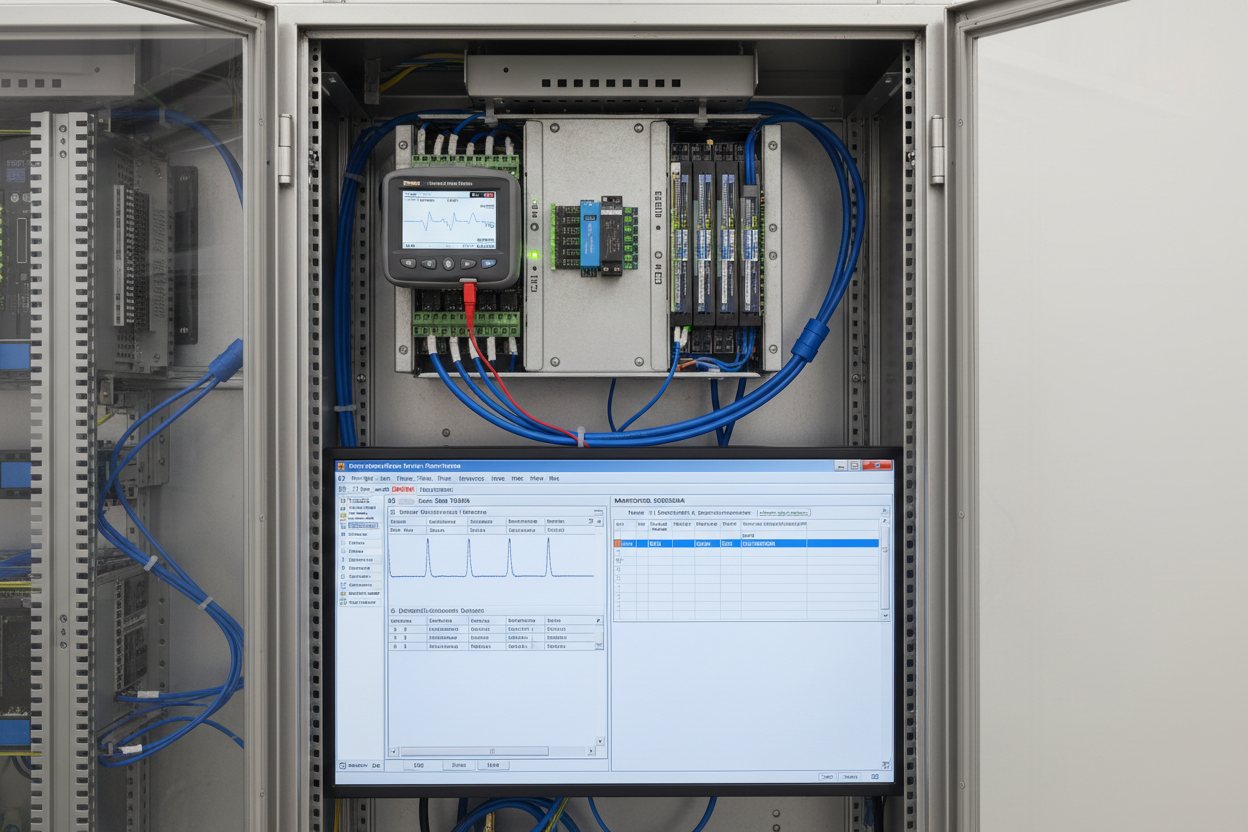
- Bus signal amplitude: connect an oscilloscope or FF H1 analyzer at the FBM237 terminals. Manchester-encoded signal amplitude should read 800–1000 mVpp during active communication.
- Total segment current: sum of all device quiescent currents plus the FBM237 draw. Each Foxboro IDP-10 pressure transmitter draws 10–13 mA. With 8 devices at 12 mA average plus FBM237 at 20 mA, total draw is 116 mA — within the FPS-1 350 mA rating.
- Noise floor: measure noise amplitude with all devices in standby. Noise must be below 50 mVpp. Values above 100 mVpp indicate EMI coupling from adjacent power cable trays.
LAS Token Bus Failure and Backup Link Master Configuration
The Link Active Scheduler (LAS) manages all scheduled communication on the FF H1 segment. The FBM237 normally operates as LAS. If the FBM237 loses power or resets, a backup Link Master (BLM) device must claim the LAS role within 16 ms to prevent communication disruption. Configure at least one field device on each segment as a Backup Link Master.
In Foxboro I/A Series FoxDraw and Integrated Control Configurator (ICC), set the device’s LAS_CAPABLE parameter to TRUE and assign a link master priority value of 2 (primary FBM237 = 1, BLM = 2). Without a BLM, a FBM237 reset causes all 8 devices on the segment to enter a wait state. They emit Listen for Token (LT) frames for 32 slot times, then independently attempt LAS claim — creating a token collision that extends segment outage by 200–400 ms beyond the FBM237 recovery time.
Verify the BLM’s LAS macrocycle schedule is synchronized with the FBM237’s schedule. Use ICC to export the segment’s VCR (Virtual Communication Relationship) schedule and compare the BLM’s local copy. A schedule mismatch between primary LAS and BLM causes re-scheduled CD windows to shift by one macrocycle after handover, producing a temporary 128 ms gap in process variable updates for all devices on the segment. The Foxboro FBM223 Ethernet communication module provides the network path for ICC configuration downloads to the FBM237 and BLM devices.
Six-Step Segment Fault Isolation Procedure
- Step 1: Identify the scope of the fault. In Foxboro ICC, open the H1 Diagnostics screen for the affected FBM237 card. Check which node addresses appear in the LOST_NODE list. If all nodes on one segment are lost simultaneously, suspect a physical layer fault. If only one node is lost, suspect that device’s field wiring or power draw.
- Step 2: Measure bus voltage at the FBM237 terminal block. Voltage below 9 VDC indicates a short circuit on the segment or a failed power conditioner. Voltage above 32 VDC indicates a power conditioner fault — replace the FPS-1 unit and retest.
- Step 3: Count terminators. Disconnect all field devices by opening their spur fuses one at a time. Measure bus impedance at 31.25 kHz using an impedance analyzer. Two correctly installed terminators produce 50 Ω ±5 Ω. An impedance above 80 Ω means a terminator is missing or its capacitor has failed open.
- Step 4: Reconnect devices one at a time. After each reconnection, measure signal amplitude at the FBM237 terminal. Amplitude drops by more than 100 mVpp when a device with excessive current draw is reconnected — this device is drawing more than 25 mA and violating the segment current budget. Remove and replace the device.
- Step 5: Check the VCR schedule for the affected device in ICC. Verify the Publish-Subscribe VCR’s scheduled CD slot does not conflict with another device on the same macrocycle. Two devices assigned identical CD slots produce back-to-back transmissions that the FBM237 interprets as a collision and removes both devices from the active node list.
- Step 6: Force a manual LAS takeover test. In ICC, temporarily disable the FBM237’s LAS capability and confirm the BLM assumes LAS within 16 ms. Measure process variable update continuity during the handover using an FF H1 analyzer. Record BLM acquisition time. A result above 100 ms indicates the BLM’s LAS priority is not correctly configured.
VCR Configuration and Macrocycle Scheduling Best Practices
For a typical Foxboro FBM237 segment with 8 transmitters each publishing one AI function block output, calculate the macrocycle period as: T_macrocycle = N_devices × T_CD_window + T_acyclic_reserve. For 8 devices at 10 ms per CD window: 80 ms + 20 ms acyclic reserve = 100 ms macrocycle. This matches the standard PID execution period in Foxboro I/A Series control modules. Never set the macrocycle below 50 ms — the FBM237 H1 interface requires minimum 40 ms for its internal token bus overhead per segment regardless of device count.
Document the segment’s VCR table and macrocycle schedule in the project’s fieldbus design document. When a technician replaces a failed device, the replacement must receive the identical node address and VCR configuration as the original device. A replacement device with default factory node address 248 (visitor address) will not appear in the LAS schedule and will produce a LOST_NODE alarm even though the hardware is functioning correctly. The Foxboro I/O graphics controller provides the operator interface for monitoring segment health and node status in real time.
Conclusion and Action Advice
FOUNDATION Fieldbus H1 segment faults on Foxboro I/A Series FBM237 installations follow a predictable diagnostic sequence. Always measure physical layer parameters — bus voltage, signal amplitude, termination impedance — before opening any software tool. Configure at least one Backup Link Master per segment with a correctly synchronized VCR schedule. Follow the six-step isolation procedure to distinguish physical faults from scheduling conflicts.
Validate BLM handover performance annually — a BLM that has never been tested may fail silently when needed. Document node addresses, VCR tables, and macrocycle periods for every segment at commissioning. Without this record, a simple device replacement becomes a multi-hour diagnostic exercise. Maintain the documentation alongside the P&ID in the project as-built package.
Author: Shen Weicheng is an industrial automation engineer with over 10 years of experience in PLC, DCS, and control systems.


