

Yokogawa CENTUM VP Alarm Configuration: Best Practices for SIL 2 Alarm Management
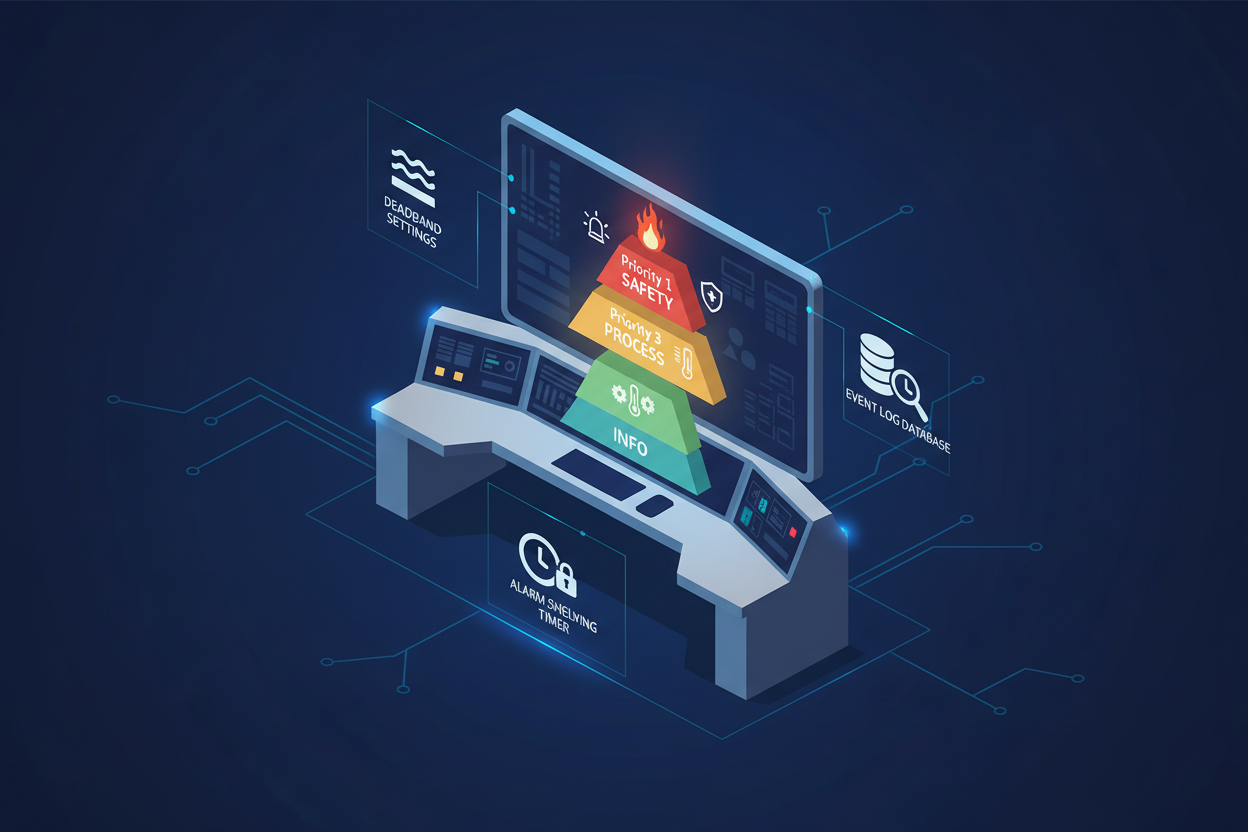
Q: Why Is Alarm Management So Critical on Yokogawa CENTUM VP?
Alarm floods are one of the top human factors hazards in process plants. Yokogawa CENTUM VP provides a comprehensive alarm management framework compliant with IEC 62682. However, many plants under-utilize its capabilities. CENTUM VP organizes alarms by alarm class, priority, and acknowledgment rules. The Engineering Station (ES) is the central tool for all alarm configuration tasks. Alarms are linked to function block tags in the CONTROLLER database — understanding this data structure is fundamental before making any configuration changes.
The Yokogawa AAI143 Isolated Analog Input Module and Yokogawa AAI141 Analog Input Module are the field-side hardware that generate the AI function block alarm conditions processed by the CENTUM VP alarm server.
Q: How Is the CENTUM VP Alarm System Structured?
The alarm system operates across three layers. At the field level, AI and DI function blocks generate alarm conditions based on configured limits. At the alarm processing level, the Alarm Server on the HIS node aggregates, prioritizes, and displays alarms. At the operator action level, acknowledgment, shelving, and suppression rules are defined at the operator station. Alarm priority ranges from 1 (highest) to 5 (lowest). SIL 2 alarm points should use Priority 1 or 2 to ensure immediate operator attention.
Q: How Do I Set Up Alarm Classes and Priorities?
Before configuring individual alarms, establish the alarm classification scheme on the Engineering Station.
- Open the Alarm Setting database under System View → Alarm Management → Alarm Class Definition. Create classes: SAFETY, PROCESS, EQUIPMENT, and INFO.
- Assign priority codes to each class. For SIL 2 safety alarms, assign Priority 1. For process alarms, assign Priority 3.
- Define deadband values for analog alarms to prevent chattering. A deadband of 2% of span is recommended for level alarms; 1% for pressure alarms.
Example: Class=SAFETY, Priority=1, Shelvable=No, Suppression=Not Allowed, AutoAcknowledge=No.
Q: How Do I Configure Analog Alarm Points in Function Blocks?
- In the Function Block Diagram (FBD) editor, locate the AI block for the relevant tag. Open the Alarm Setup tab.
- Set HH (High-High) alarm for the SIL 2 trip value. For a reactor pressure transmitter (range 0–1.0 MPa), set HH at 0.85 MPa.
- Set H (High) alarm at the process alarm threshold (e.g., 0.70 MPa). Set L (Low) at 0.15 MPa and LL (Low-Low) at 0.05 MPa.
- Configure the alarm delay (on-delay timer). For SIL 2 trip alarms, set delay = 0 s (immediate trip). For process alarms, set delay = 2–5 s to suppress transients.
Ensure each AI block has PV Status configured for BAD quality detection. When the transmitter signal goes to open circuit (4–20 mA loop break), the DCS must generate a BAD PV alarm immediately.
Q: How Do I Reduce Nuisance Alarms During Startup and Maintenance?
- Phase-In Alarms: During plant startup, enable phase-in alarms for each process unit. These alarms have a reduced priority and auto-acknowledge after a configurable time window (typically 30 minutes).
- Maintenance Override tags: When a transmitter is taken offline for calibration, tag the associated alarms as maintenance-suppressed. The alarm system displays “MNT” status on the operator faceplate. Maintenance overrides must be tracked with a work permit and time-stamped in the event log — unsupervised overrides are a common audit finding during TUV audits.
- Alarm Shelving: CENTUM VP allows operators to shelve individual alarms for up to 8 hours. However, Safety alarms (Priority 1) cannot be shelved per IEC 62682 requirements.
Q: How Do I Configure Alarm Event Recording and Track KPIs?
- Define the alarm event log retention period. For SIL 2 systems, retain alarm logs for a minimum of 3 years (ISO 9001 requirement).
- Enable Alarm Statistical Logging — CENTUM VP calculates alarm count per hour, average alarm duration, and top 10 most frequent alarms.
- Export monthly alarm reports in CSV format for the annual alarm performance review meeting.
Key KPIs to track: First Alarms per Day (FAD), Average Alarm Load per Operator Shift, and Chattering Alarm Rate (alarms cycling more than 3 times per minute).
Q: What Are the Most Common Alarm Configuration Mistakes?
- Setting alarm deadband to zero causes chattering alarms during process oscillations.
- Forgetting to configure the Alarm Class defaults all alarms to Priority 5, hiding critical safety alarms.
- Using the same alarm priority for both safety and process alarms dilutes operator response.
- Not configuring PV Status BAD detection means a transmitter failure goes unnoticed until a process deviation triggers a visible alarm.
- Configuring alarm delay on SIL 2 safety alarms without a documented justification violates the Safety Requirements Specification (SRS).
What Is the Key Action Advice?
Effective alarm management on Yokogawa CENTUM VP starts with a structured alarm classification scheme. Define alarm classes and priorities before configuring individual tags. Use deadband and delay settings judiciously — too much delay on a SIL 2 alarm defeats the purpose of the safety instrumented function, but too little deadband causes chattering that desensitizes operators. Perform an annual alarm rationalization review using CENTUM VP’s statistical tools. Document all alarm configuration changes in the engineering change management system with sign-off from both operations and safety teams. For plants with more than 150 active alarms, implement an alarm shelving philosophy document aligned with EEMUA 191 guidelines to reduce operator fatigue and improve response time to genuine safety events.
Author: Mei Zhang is an industrial automation engineer with over 10 years of experience in Yokogawa DCS, CENTUM VP, and alarm management systems in petrochemical and refinery applications across Asia-Pacific.


