

Phoenix Contact and Bachmann on PROFINET: Advanced Diagnostics That End Mystery Dropouts
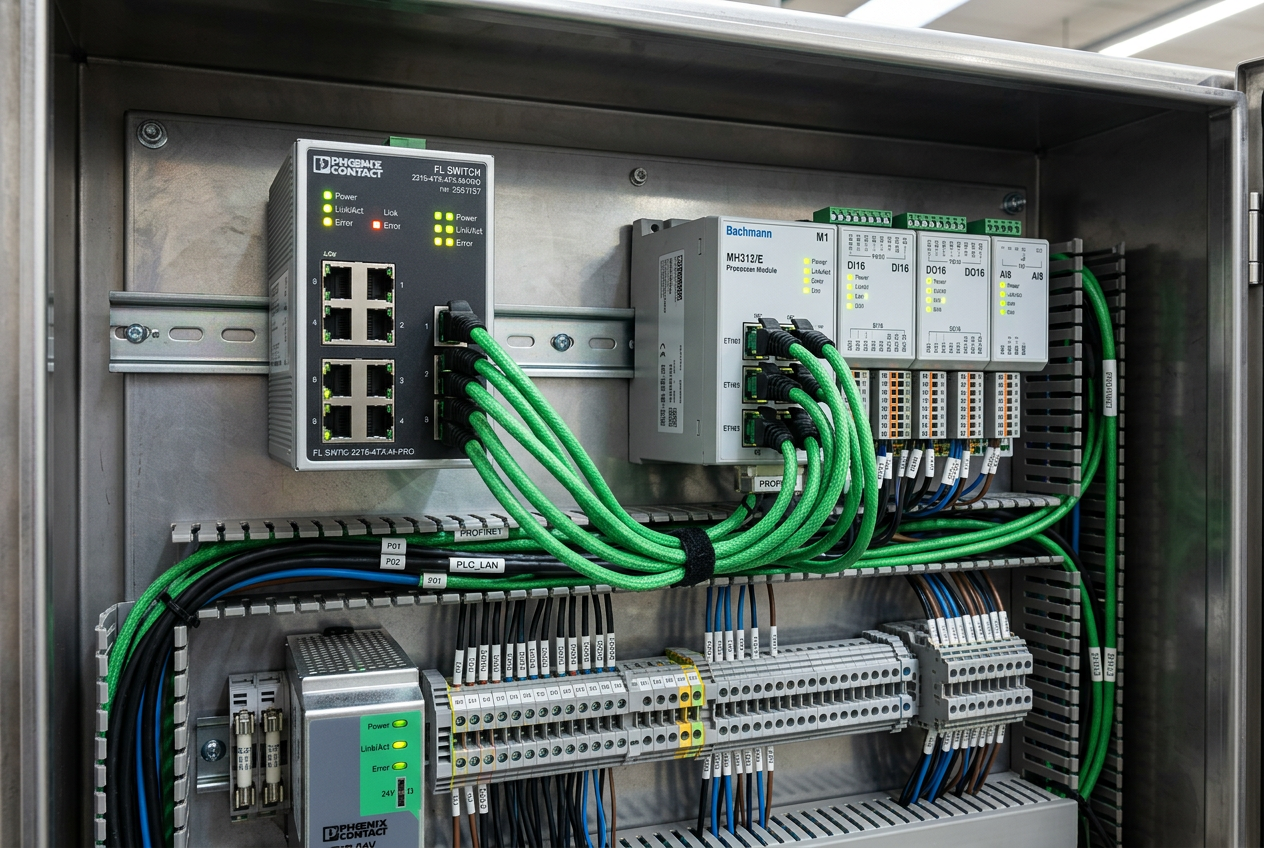
Subtitle: Device names, LLDP topology checks, and MRP rings, explained with steps from a live packaging-line network.
Why Do PROFINET Devices Drop Out When Basic Checks and LEDs Look Normal?
Consider a packaging line where a wrapper loses its encoder station twice per shift. The device recovers on its own, panel LEDs show green, and the IP address has no conflict. Basic troubleshooting stops here, but intermittent dropouts rarely stem from bad cables or address collisions alone. Most hidden root causes reside in PROFINET device naming conventions, topology detection mechanisms, or redundancy timing mismatches. In high-speed packaging lines using encoder interfaces like the Bachmann ISI202 encoder interface module, resolving these mystery trips requires moving past multimeter checks and into protocol-level diagnostics.
Why Does PROFINET Rely on Device Names Over IP Addresses?
Unlike standard TCP/IP networking, PROFINET identifies an IO device primarily by its unique station name and secondarily by its IP address. When a PLC controller starts up, it uses the Discovery and Basic Configuration Protocol (DCP) to scan the subnet and bind IO devices by name, even if a device lacks a valid IP configuration. A duplicate, misspelled, or missing station name halts communication completely, regardless of physical cable health. Conversely, if the station name matches the hardware configuration, the controller can automatically reassign the correct IP address. Always verify DCP name mappings online before swapping hardware.
Which Interface Settings Prevent Acyclic Communication Timeouts?
Standard commissioning often overlooks three critical interface parameters that govern failure behavior under stress:
- Maintain PROFINET IO communication on data record timeout: Disabled by default. When acyclic parameter reads fail or time out, enabling this option keeps cyclic process data active instead of severing the entire connection.
- Support device replacement without exchange medium: Enabled by default to allow seamless hardware replacements without a programming laptop via LLDP neighbor detection. Verify this remains enabled.
- IEC V2.2 LLDP mode: Enables continuous physical neighbor detection and alerts when cables are plugged into wrong ports. Audit this setting during commissioning to catch wiring mistakes early.
How Do You Prevent Network Flooding in an MRP Redundant Ring?
Media Redundancy Protocol (MRP) ensures uninterrupted communication by keeping one port blocked during normal operation and unblocking it within ~200 milliseconds if a break occurs. However, an MRP ring functions properly only when exactly one switch acts as the Redundancy Manager (MRM) while all other nodes operate as Redundancy Clients (MRC). Multiple managers cause broadcast storms and packet flooding, while having zero managers disables ring recovery. For critical automation nodes, pairing network redundancy with hardware power redundancy, such as a Phoenix Contact redundancy module, delivers complete high-availability protection.
What Causes Jitter and Sync Loss in PROFINET RT and IRT Networks?
PROFINET Real-Time (RT) transmits Ethernet frames directly at Layer 2 to bypass TCP/UDP processing delays. Isochronous Real-Time (IRT) incorporates IEEE 1588 Precision Time Protocol (PTP) clock synchronization, driving cycle times below 250 microseconds. However, IRT is unforgiving: an unsynchronized node, an unmanaged switch in the path, or a mismatched time domain disrupts the deterministic schedule. Regularly monitor port statistics, packet drop rates, and CRC errors on managed switches rather than estimating network bandwidth utilization.
How Do Phoenix Contact Switches and Bachmann M1 Controllers Pinpoint Hardware Faults?
In modern packaging architectures, managed switches and advanced controllers work together to pinpoint intermittent failures. Phoenix Contact managed switches provide comprehensive port diagnostics, exposing CRC counter spikes that reveal crushed cables or noise interference. In parallel, controllers such as the Bachmann MPC240/K M1 Controller Module deliver extended PROFINET diagnostics in clear text within the engineering software. When IRT synchronization drops, the Bachmann diagnostic stack flags the exact slave unit and error code instantly. For multi-vendor architectures communicating with DCS gateways or devices like an ABB CI871 PROFINET IO interface module, maintaining matched GSDML configuration files ensures protocol consistency across the plant floor.
What Is the Recommended 7-Step Diagnostic Sequence for Intermittent Dropouts?
When tracking elusive network dropouts, follow this structured troubleshooting workflow:
- Step 1: Verify station device names online and confirm the PN/IE subnet assignment for every IO device.
- Step 2: Audit the three critical interface options (data record timeout, device replacement, and LLDP mode).
- Step 3: Check MRP ring roles to verify exactly one manager is configured on a closed ring topology.
- Step 4: Review LLDP neighbor tables and cross-reference them against the as-built network topology drawing.
- Step 5: Inspect switch port error statistics for CRC errors, frame discards, and unexpected bandwidth spikes.
- Step 6: Confirm that the installed GSDML device description matches the hardware firmware revision.
- Step 7: Capture extended diagnostic records directly from the controller diagnostic buffer after each trip event.
How Can You Prevent Future PROFINET Dropouts on the Plant Floor?
Converting mystery dropouts into actionable data requires strict protocol discipline. Treat DCP device naming as the primary network identity, enforce single-manager MRP ring topology, and audit LLDP neighbor tables against plant drawings. Leveraging hardware with built-in diagnostic transparency—such as Phoenix Contact managed switches and Bachmann M1 control systems—transforms hours of cable tracing into minutes of targeted troubleshooting.
Author: Zhiqiang Li is an industrial automation engineer with over 10 years of experience in PLC, DCS, and control systems.


