

Emerson Ovation EPRO Configuration: OPC UA Server Setup for Secure Cross-System Data Exchange in Power Generation
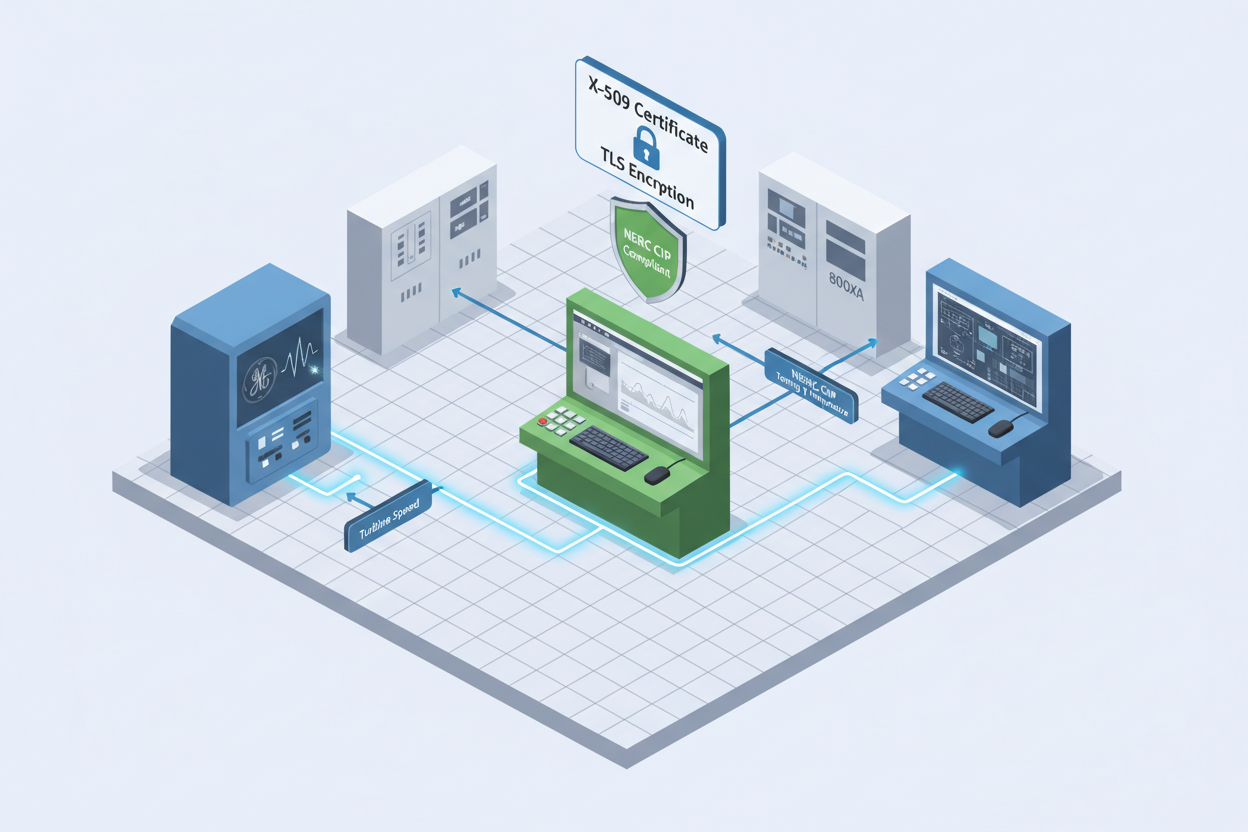
Q: Why Use OPC UA for Emerson Ovation Integration in Power Plants?
Modern power plants operate heterogeneous automation environments. An Emerson Ovation EPRO DCS often coexists with GE Bently Nevada vibration monitoring systems, ABB System 800xA, and Honeywell Experion for plant-wide optimization. OPC UA provides the standardized, secure, and platform-independent data exchange layer needed to unify these disparate systems.
OPC UA surpasses legacy OPC DA in several critical dimensions: it operates over HTTPS and OPC UA TCP (port 4840) without opening raw DCOM ports; it supports complex information modeling including historical data and alarms; and it provides built-in encryption, authentication, and role-based access control. The Emerson Ovation 5X00226G02 I/O Interface Module provides the field I/O connectivity layer for the Ovation EPRO DCS that publishes process data through the OPC UA server to partner systems.
Q: How Do I Enable and Configure the OPC UA Server on Emerson Ovation EPRO?
- Step 1: Log in to the Ovation Operator Station with engineering credentials. Open the Ovation Development Studio. Navigate to System Configuration → OPC UA Server Settings. Verify that the OPC UA Server option is enabled. If not, toggle it to ENABLED and save the configuration.
-
Step 2: Configure the OPC UA server endpoint. The default endpoint is
opc.tcp://[server_hostname]:4840. Assign a static IP address or hostname for the Ovation server. Ensure port 4840 is open in the plant firewall for trusted OPC UA clients. - Step 3: Set the security policy. For power plant environments, select Basic256Sha256 encryption. Generate or import an X.509 certificate for the OPC UA server. Export the server certificate for distribution to OPC UA clients. Self-signed certificates are acceptable for internal plant networks.
- Step 4: Configure access policies. Define user roles (Engineer, Operator, ReadOnly) and map them to OPC UA access permissions. Assign READ permission to monitoring clients (e.g., GE Bently Nevada System 1). Assign WRITE only to authorized engineering workstations.
- Step 5: Define the OPC UA address space by selecting Ovation process points for publication. Use the Point Browser to select tags including turbine control points, boiler parameters, generator output, and vibration alarm statuses. Limit the initial data set to 100–200 points for commissioning.
Q: How Do I Subscribe to Ovation OPC UA Data from GE Bently Nevada System 1?
The GE Bently Nevada 3500/40 Proximitor Monitor Module provides the vibration measurement hardware that System 1 correlates with Ovation process data for integrated turbine protection.
-
Step 1: Open the GE Bently Nevada System 1 Administrator application. Navigate to Communication Setup → OPC UA Client. Add a new OPC UA server connection. Enter the Ovation OPC UA server endpoint:
opc.tcp://[Ovation_Server_IP]:4840. - Step 2: Import the Ovation OPC UA server certificate into the GE System 1 trust store. Navigate to Certificate Management and import the exported Ovation server certificate. Enable the trust relationship.
- Step 3: Browse the OPC UA address space to locate the desired Ovation process tags. Common tags for vibration correlation include turbine speed (TRB_SPD), bearing temperature (BRG_TEMP_[n]), and load setpoint (LOAD_SP).
- Step 4: Configure the subscription parameters. Set the publishing interval to 500 ms for real-time turbine data. Configure deadband settings to reduce network traffic — a deadband of 0.5% is typical for turbine speed signals.
- Step 5: Create a System 1 display page that overlays Ovation process data with vibration data. Verify that turbine speed and bearing temperature from Ovation appear correctly on the System 1 graphics. Confirm that alarm limits from Ovation propagate into the Bently Nevada alarm management system.
Q: How Do I Integrate Emerson Ovation with ABB System 800xA via OPC UA?
- Step 1: On the ABB 800xA System Manager, navigate to Administration → Aspect Directory. Add a new OPC UA Connection aspect to the Ovation server object. Enter the Ovation OPC UA endpoint and authentication credentials.
- Step 2: Configure the 800xA OPC UA import wizard to browse and select Ovation tags. Import the Ovation tag structure as 800xA Aspect Objects. This preserves the hierarchical relationship between Ovation controller groups and individual process points.
- Step 3: Map Ovation data to 800xA faceplate templates. Configure scaling, engineering units, and alarm limits in the 800xA definition. Verify that process value updates from Ovation appear on 800xA operator graphics within the configured subscription interval.
Q: What Cybersecurity Measures Are Mandatory for OPC UA in Power Plants?
- Encryption: Encrypt all OPC UA communications using TLS. Never use None security policy in production environments. Configure the minimum accepted security policy as Basic256Sha256.
- Certificate management: Use a certificate authority (CA) to issue and manage server and client certificates. Establish a certificate revocation process. Renew certificates before expiry to prevent service interruption.
- Network isolation: Restrict OPC UA client connections to a dedicated plant network segment. Use network firewalls to isolate the Ovation OPC UA server from corporate IT networks and the internet. Log all OPC UA connection attempts and monitor for unauthorized access. NERC CIP compliance must be verified before connecting OPC UA across security boundaries.
What Is the Key Action Advice?
Begin with a pilot integration between Ovation and one partner system (recommended: GE Bently Nevada System 1). Validate data integrity, latency, and alarm correlation before expanding to additional systems. Document all NodeIds, security configurations, and subscription parameters in the plant integration register. Engage the plant cybersecurity team during the design phase and schedule annual security audits of the OPC UA configuration to ensure certificates remain valid and access policies are enforced.
Author: Wang Fang is an industrial automation engineer with over 15 years of experience in power plant DCS, Emerson Ovation, GE Bently Nevada, and OPC UA integration. Specializes in cross-platform system integration for thermal and combined-cycle power generation facilities, with expertise in IEC 61850 and NERC CIP cybersecurity compliance.


