

GE Mark VIe: PROFIBUS DP Integration for Balance of Plant Control
Q: Why Use PROFIBUS DP for GE Mark VIe Balance of Plant Integration?
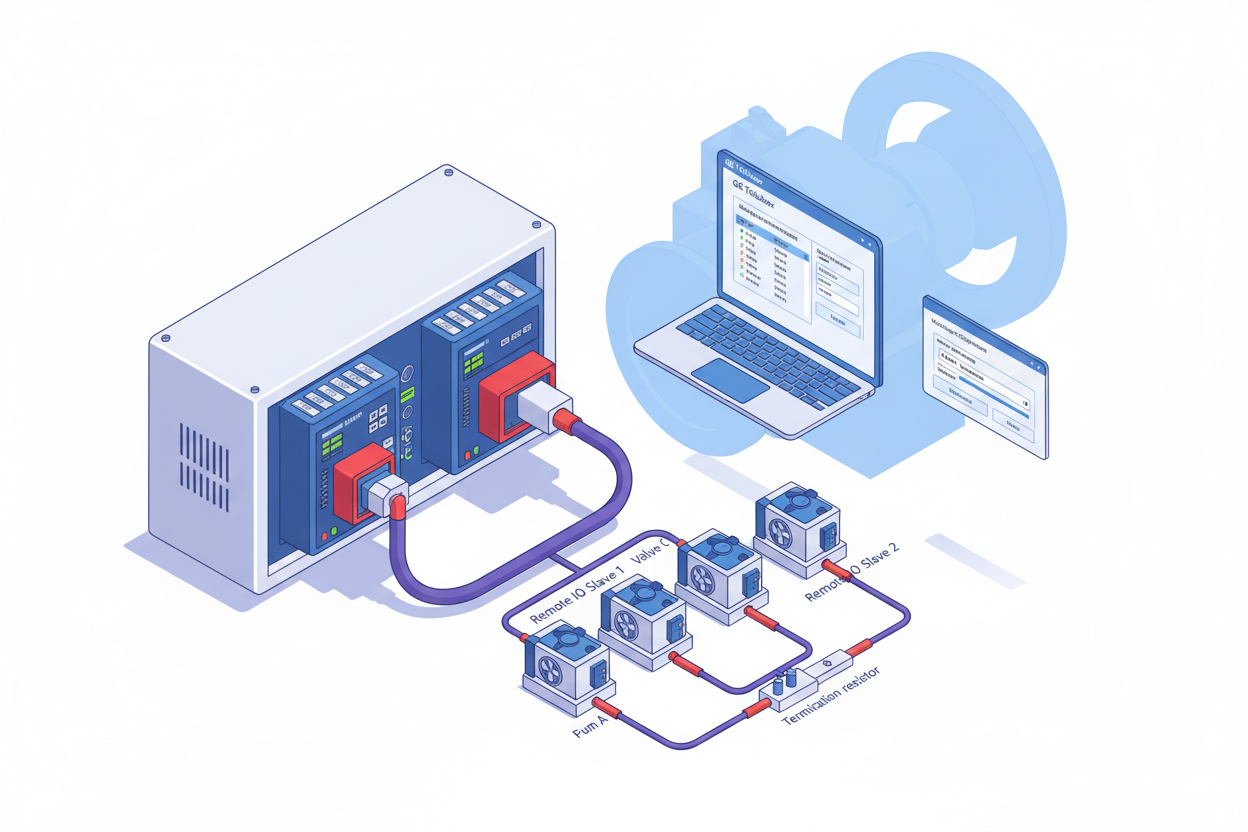
GE Mark VIe controllers support PROFIBUS DP master functionality, enabling connection to external balance of plant (BOP) devices such as cooling systems and auxiliary equipment. PROFIBUS DP reduces analog wiring and improves data quality compared to traditional 4–20 mA connections. The GE Mark VIe IS210BPPCH1AEC I/O Pack Processor Board is the core I/O processing module in the Mark VIe rack that interfaces with the PROFIBUS DP master module for BOP device communication.
Q: How Do I Configure the PROFIBUS Interface Module?
- Step 1: Install the PROFIBUS interface module in the Mark VIe rack.
- Step 2: Connect the shielded DP cable to the module connector.
- Step 3: Configure DP master parameters in the GE Toolbox engineering software. Set the module to DP master mode.
- Step 4: Set the baud rate for the network. Typical settings are 1.5 Mbaud for longer cable runs or 12 Mbaud for short segments.
Verify the network termination resistors — install 220-ohm resistors at both segment endpoints. Check cable shielding and grounding connections. Use proper cable type A and maintain minimum distance from power cables to prevent electromagnetic interference.
Q: How Do I Configure Slave Devices in GE Toolbox?
- Step 1: Import GSD files for slave devices into the GE Toolbox library.
- Step 2: Add slave devices to the DP master network configuration.
- Step 3: Set each device address matching the physical rotary switches on the device. Configure input and output data lengths.
- Step 4: Map DP data to Mark VIe control variables. Configure analog scaling, digital filtering, and diagnostic alarm thresholds. Verify data mapping accuracy before downloading to the controller.
Q: How Do I Configure Watchdog and Fault Handling?
Configure the watchdog timer for each slave device — the watchdog detects communication failures. Set the timeout value based on device response time. Typical watchdog is 100 to 500 milliseconds.
Watchdog timeout requires careful handling for turbine BOP applications. Configure safe default values for critical outputs. Mark VIe should not trip the turbine for BOP communication loss — implement graceful degradation for non-critical devices. Log all watchdog events for analysis and trending.
Q: How Do I Commission and Test the PROFIBUS DP Network?
- Step 1: Verify all device addresses are unique and match the physical switch settings.
- Step 2: Power up the DP network and check the master status in GE Toolbox online view.
- Step 3: Verify all slave devices appear online in the DP master diagnostic view.
- Step 4: Test data exchange with forced values. Verify cable connections remain stable during vibration testing.
What Is the Key Action Advice?
Configure interface modules with correct baud rates before connecting slave devices. Install GSD files for all slave devices and verify GSD version matches device firmware. Set watchdog timers appropriately — too short causes nuisance faults, too long delays fault detection. Test all communication paths and watchdog timeout behavior before turbine startup. Document device parameters and configurations in the site I/O database. For critical BOP systems, consider redundant DP interfaces. Partner with GE for turbine control integration support to ensure BOP communication does not affect turbine protection logic.
Author: Zheng Yang is an industrial automation engineer with over 10 years of experience in PLC, DCS, and control systems.


