

تشخيص أعطال اتصال PROFINET IO: استكشاف أخطاء ABB AC500 CM575-PNIO و Phoenix Contact AXL F DI16 الميدانية وإصلاحها
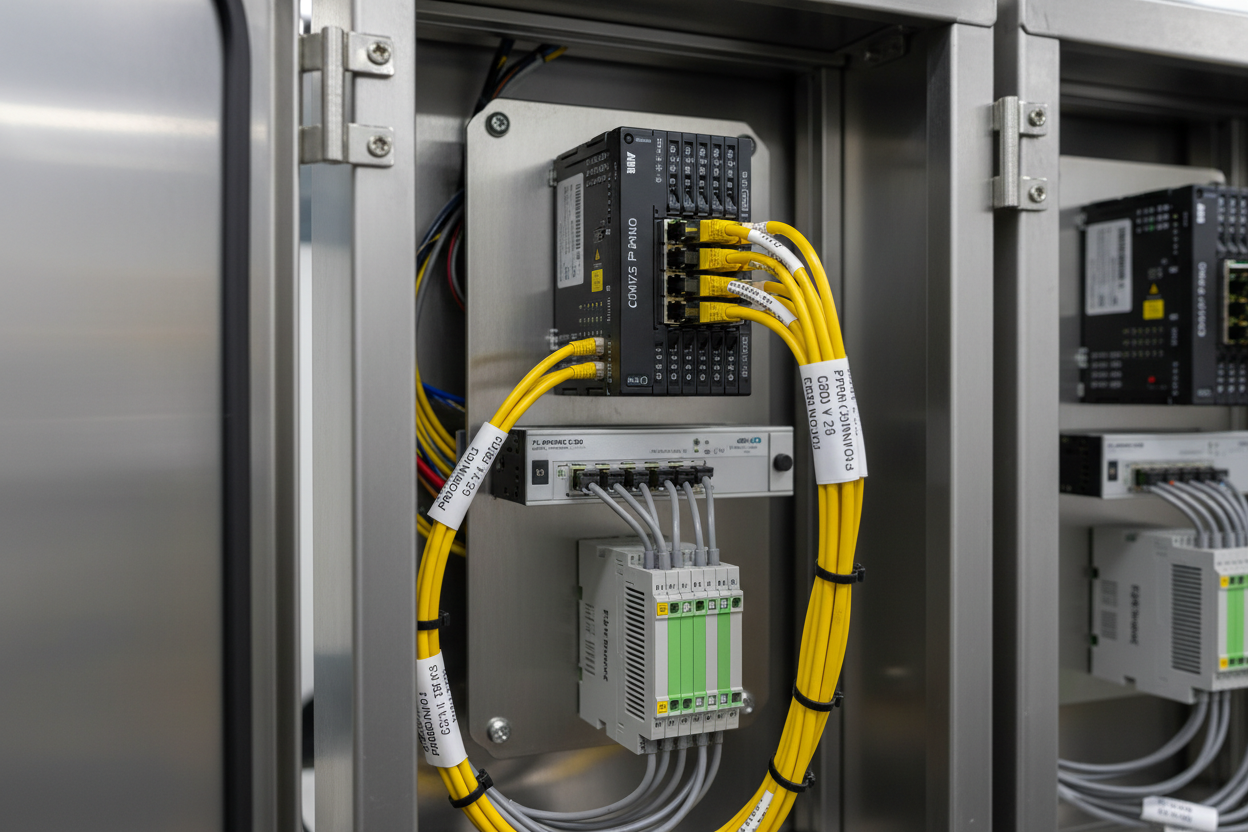
لماذا تكون أعطال PROFINET IO مكلفة وغالبًا ما يتم تشخيصها بشكل خاطئ
تشكل أعطال PROFINET IO جزءًا كبيرًا من فترات التوقف غير المخطط لها في أنظمة DCS وPLC الحديثة. غالبًا ما يلاحق المهندسون أعطال الأجهزة بينما يكون السبب الحقيقي هو خطأ في تكوين البرمجيات أو في طوبولوجيا الشبكة. يشكل ABB AC500 مع وحدة الاتصال CM575-PNIO وPhoenix Contact AXL F DI16/1 1H I/O الموزعة تركيبة ميدانية شائعة في مصانع البتروكيماويات ومحطات الطاقة. يعمل PROFINET بسرعة 100 ميجابت/ثانية بنظام duplex كامل عبر كابل CAT5e أو أفضل، باستخدام نموذج تبادل بيانات دوري مع معدلات تحديث قابلة للتكوين تصل إلى 1 مللي ثانية لفئة IRT وفواصل زمنية 250 ميكروثانية في فئة RT. عندما يفقد المتحكم الاتصال بجهاز IO، يرفع النظام إنذار حالة الوحدة ويجبر القنوات المتأثرة على حالة تراجع آمنة. وحدة المعالجة المركزية ABB AC500 PM573-ETH ووحدة المعالجة ABB PM591-ETH هما المتحكمان الرئيسيان لشبكات PROFINET IO القائمة على CM575-PNIO في تطبيقات مصانع العمليات.
أولاً، حدد ما إذا كانت العطل في الطبقة الفيزيائية، طبقة ربط البيانات، أو طبقة التطبيق قبل تعديل أي تكوين.
فحوصات الطبقة الفيزيائية: الكابل، المفتاح، وإحصائيات المنفذ
- الخطوة 1: تحقق من مؤشر LED الرابط على وحدة CM575-PNIO. يشير LED الأخضر الثابت إلى وجود رابط 100BASE-TX بالسرعة الصحيحة. يشير LED الكهرماني الوميض إلى أخطاء CRC أو عدم تطابق duplex.
- الخطوة 2: اقرأ إحصائيات منفذ المفتاح باستخدام LLDP. على المفاتيح المدارة مثل Phoenix Contact FL SWITCH 2000، استخدم واجهة الويب للتحقق من أخطاء Rx CRC وإطارات Rx Runt. معدل خطأ CRC أعلى من 0.01% على أي منفذ يشير إلى عطل في الكابل أو الموصل.
- الخطوة 3: قِس استمرارية الكابل باستخدام Fluke DTX-1800 أو ما يعادله. تحقق من أن أزواج CAT5e 1-2 و3-6 تحمل إشارات TX وRX بدون تداخل أعلى من −35 ديسيبل عند 100 ميجاهرتز.
- الخطوة 4: تحقق من وحدة AXL F DI16/1 1H لمؤشر BUS FAIL LED. يشير ضوء BUS FAIL الأحمر على موصل حافلة Axioline F إلى أن اتصال PROFINET IO قد انقطع وأن الموصل دخل في حالة قيمة الاستبدال.
- الخطوة 5: تحقق من جهد مصدر الطاقة عند موصل حافلة AXL F. تحدد Phoenix Contact جهد 24 فولت تيار مستمر ±25%. إذا انخفض الجهد عن 18 فولت، يقوم الموصل بتعطيل اللوحة الخلفية ويرفع إنذار فشل الطاقة المرئي في منطقة عنوان التشخيص.
علاوة على ذلك، يسبب عدم تطابق duplex بين منفذ CM575-PNIO ومنفذ المفتاح المدار فقدان إطارات متقطع عند حمل I/O عالي. قم دائمًا بتكوين كلا الجانبين يدويًا على 100 ميجابت/ثانية duplex كامل. فشل التفاوض التلقائي هو السبب الرئيسي لتذبذب PROFINET الذي يتجاوز 250 ميكروثانية. توفر وحدة الاتصال Ethernet ABB CI545V01 طبقة واجهة Ethernet الفيزيائية لأنظمة ABB AC500 التي تتطلب إدارة منفذ PROFINET مخصصة.
تشخيص طبقة التطبيق: إصدار ملف GSDML وتعارض أسماء الأجهزة
- الخطوة 1: صدّر إصدار GSDML الحالي من موصل حافلة AXL F باستخدام Phoenix Contact Automation Builder أو أداة FL NETWORK MANAGER. انتقل إلى الجهاز → معلومات الجهاز → إصدار GSDML. قارن هذه القيمة مع ملف GSDML المستورد في مشروع ABB Automation Builder.
- الخطوة 2: تحقق من اسم جهاز PROFINET. استخدم FL NETWORK MANAGER أو التقاط Wireshark مع فلتر PROFINET DCP لتأكيد أن اسم الجهاز المعين لوحدة AXL F يطابق الاسم في مشروع AC500 تمامًا. تعالج إصدارات ABB Automation Builder قبل 2.7 الأسماء بحساسية حالة الأحرف أثناء تجميع المشروع.
- الخطوة 3: تحقق من تعيين عنوان IP. تقوم CM575-PNIO بتعيين عناوين IP لأجهزة IO أثناء تسلسل بدء التشغيل DCP Set IP Address. إذا كان جهاز آخر على الشبكة الفرعية يحمل بالفعل عنوان IP المستهدف، يفشل التعيين بصمت ولا يتم إنشاء اتصال AR.
- الخطوة 4: تحقق من إعداد مهلة AR (علاقة التطبيق). المهلة الافتراضية لمراقب AR في ABB AC500 هي 3 × 200 مللي ثانية = 600 مللي ثانية. في الشبكات ذات الحمل العالي التي تحتوي على أكثر من 64 جهاز IO على CM575-PNIO واحد، زد المهلة إلى 3 × 500 مللي ثانية لمنع انتهاء المهلة العشوائي.
سجلات التشخيص وسجلات الإنذار في ABB Automation Builder
يوفر ABB AC500 مع Automation Builder بيانات تشخيص PROFINET من خلال كتل الوظائف DIAG_STATUS وDIAG_DATA. يعيد مخرج DIAG_STATUS كلمة 16 بت حيث البت 6 = IOxS (حالة بيانات IO سيئة) والبت 10 = AR_ABORT (إلغاء علاقة التطبيق). اربط هذه البتات بإنذارات العمليات ذات الأولوية 2 حسب ISA-18.2 في طبقة SCADA.
استخدم تعليمة قراءة إنذار PROFINET لسحب إنذارات تشخيص القناة من وحدة AXL F. يتضمن الإنذار حقل نوع خطأ القناة المشفر وفقًا لـ IEC 61158-6-10. يشير نوع الخطأ 0x0002 إلى دائرة قصيرة في قناة DI. يشير نوع الخطأ 0x000A إلى فشل في كتابة سجل بيانات المعلمات. فعّل وضع التشخيص الموسع في موصل حافلة AXL F عبر خصائص كائن Automation Builder لتمكين تشخيص مستوى الفتحة الفرعية الذي يحدد أي وحدة I/O من Axioline F في الحافلة المحلية قد فشلت، مما يقلل وقت البحث الميداني من 30 دقيقة إلى أقل من 5 دقائق. بالنسبة للتركيبات المصنفة SIL مع وحدات السلامة Phoenix Contact Axioline F (AXL F DO4/3 1F)، يبلغ قناة التشخيص أيضًا قيمة خرج الحالة الآمنة والعد التنازلي لفترة اختبار وظيفة السلامة الحالية، وهو أمر ضروري لتوثيق الامتثال لـ IEC 61511.
سير عمل منهجي لعزل العطل من ست خطوات
- الخطوة 1: حدد جهاز IO المعطل من مخزن تشخيص AC500. سجل مقبض AR، اسم جهاز PROFINET، ورمز الخطأ.
- الخطوة 2: أرسل أمر ping إلى عنوان IP لجهاز IO من حاسوب الهندسة. تؤكد الاستجابة اتصال طبقة IP. عدم وجود استجابة يعني عطلًا فيزيائيًا أو في تعيين IP — تابع فحوصات الكابل.
- الخطوة 3: تحقق من إحصائيات منفذ المفتاح لأخطاء CRC وإطارات مرفوضة في المسار إلى جهاز IO.
- الخطوة 4: تحقق من تطابق إصدار GSDML واسم الجهاز في مشروع Automation Builder مقابل البرنامج الثابت للجهاز.
- الخطوة 5: اقرأ إنذارات تشخيص قناة PROFINET من سجل AR. طابق نوع خطأ القناة مع قناة I/O المتأثرة في الميدان.
- الخطوة 6: بعد الإصلاح، أعد إنشاء AR عن طريق تبديل واجهة متحكم PROFINET IO في وضع Automation Builder Online. تأكد من عودة حالة بيانات IO إلى جيدة (0x80) خلال دورتين تحديث.
الخلاصة ونصائح العمل
نادراً ما تكون أعطال PROFINET IO بين ABB AC500 CM575-PNIO وPhoenix Contact AXL F I/O الموزعة أعطال أجهزة عشوائية. معظمها ينشأ من تدهور الطبقة الفيزيائية، عدم تطابق إصدارات GSDML، تعارض أسماء الأجهزة، أو إعدادات مراقب غير صحيحة. نفذ مراقبة المفتاح القائمة على LLDP لاكتشاف أخطاء CRC قبل أن تسبب انقطاعات AR. احتفظ بمكتبة GSDML تحت نظام تحكم بالإصدارات وقم بتحديثها في كل مرة يتغير فيها البرنامج الثابت على جهاز IO. اربط بتات DIAG_STATUS في AC500 بإنذارات SCADA في الوقت الحقيقي ذات أولوية 2 حسب ISA-18.2 لجعل صحة PROFINET IO مرئية لمشغلي غرفة التحكم وتقليل متوسط وقت الإصلاح. راجع إعدادات مهلة مراقب AR اليوم إذا كانت شبكتك تحمل أكثر من 32 جهاز IO لكل وحدة CM575-PNIO.
المؤلف: تشن هاو مهندس أتمتة صناعية يتمتع بخبرة تزيد عن 10 سنوات في أنظمة PLC وDCS وأنظمة التحكم.


